
FESCO Bill Online Check – View, Download & Print Your Duplicate Electricity Bill
Quick Answer
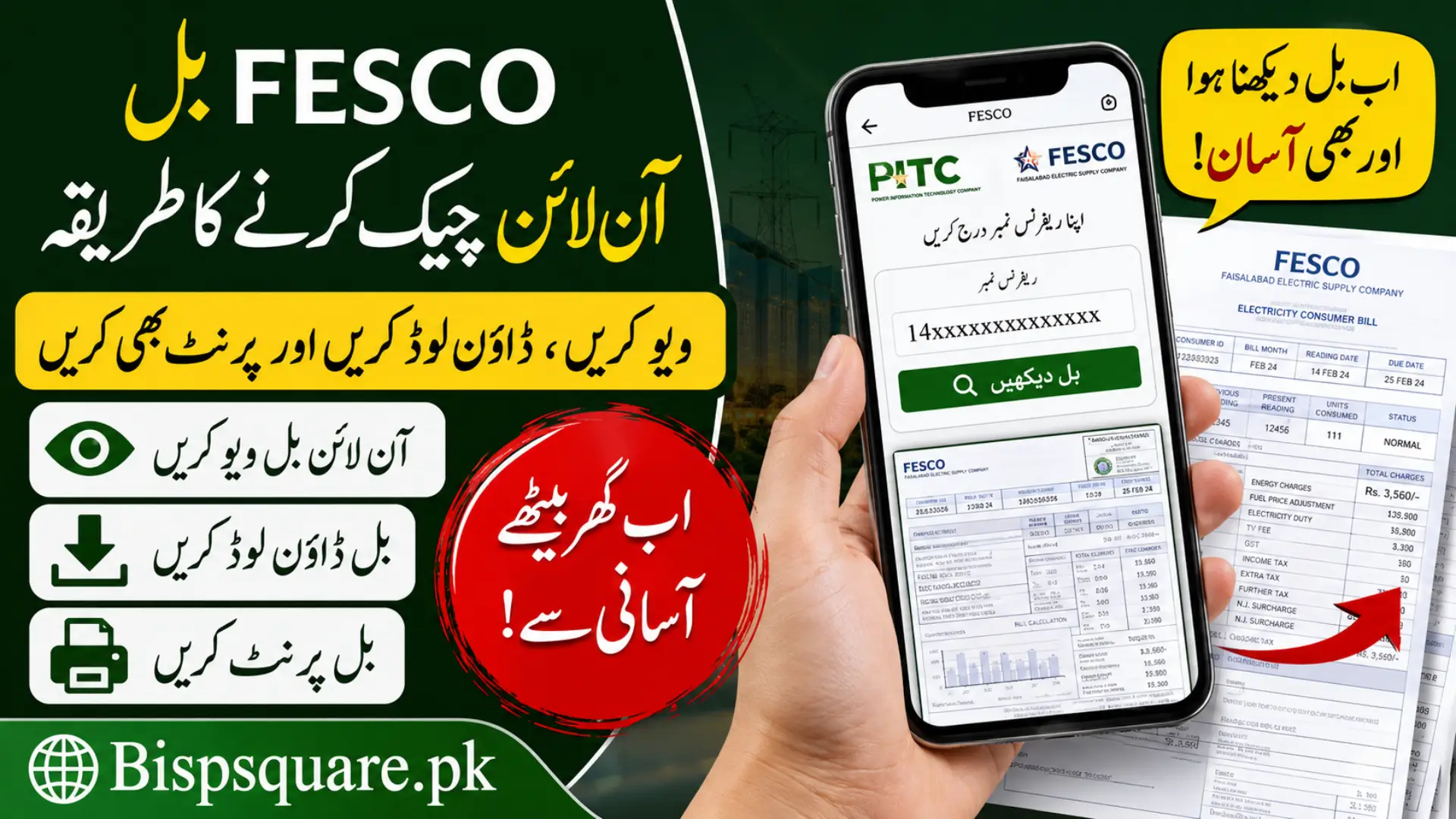
To check your FESCO bill online, visit bill.pitc.com.pk/fescobill or any trusted FESCO bill portal, enter your 14 digit reference number from your old bill, and click View Bill. Your duplicate bill copy with the current amount, due date, and meter reading will appear on screen. You can also download or print it for free.
If you live in Faisalabad, Jhang, Sargodha, Mianwali, Bhakkar, Toba Tek Singh, Chiniot, or Khushab and your electricity comes from FESCO, you no longer need to wait for the paper bill. Many people miss the postman, get torn copies, or lose their bill before the due date. The result is a late payment surcharge that increases the amount you have to pay.
The good news is that checking your FESCO bill online takes less than a minute. You just need your reference number and a mobile or laptop with internet. Similar to other online public services like How to Check BISP Balance Online, the process is simple and can be completed from home. This guide explains every method clearly, what each charge on your bill means, and how to handle common problems.
What is FESCO?
FESCO stands for Faisalabad Electric Supply Company. It is a government owned electricity distribution company established in 1998 under the umbrella of WAPDA and regulated by NEPRA. FESCO supplies electricity to around 5.6 million consumers across eight districts of Punjab.
The areas covered by FESCO include:
How to Check FESCO Bill Online by Reference Number
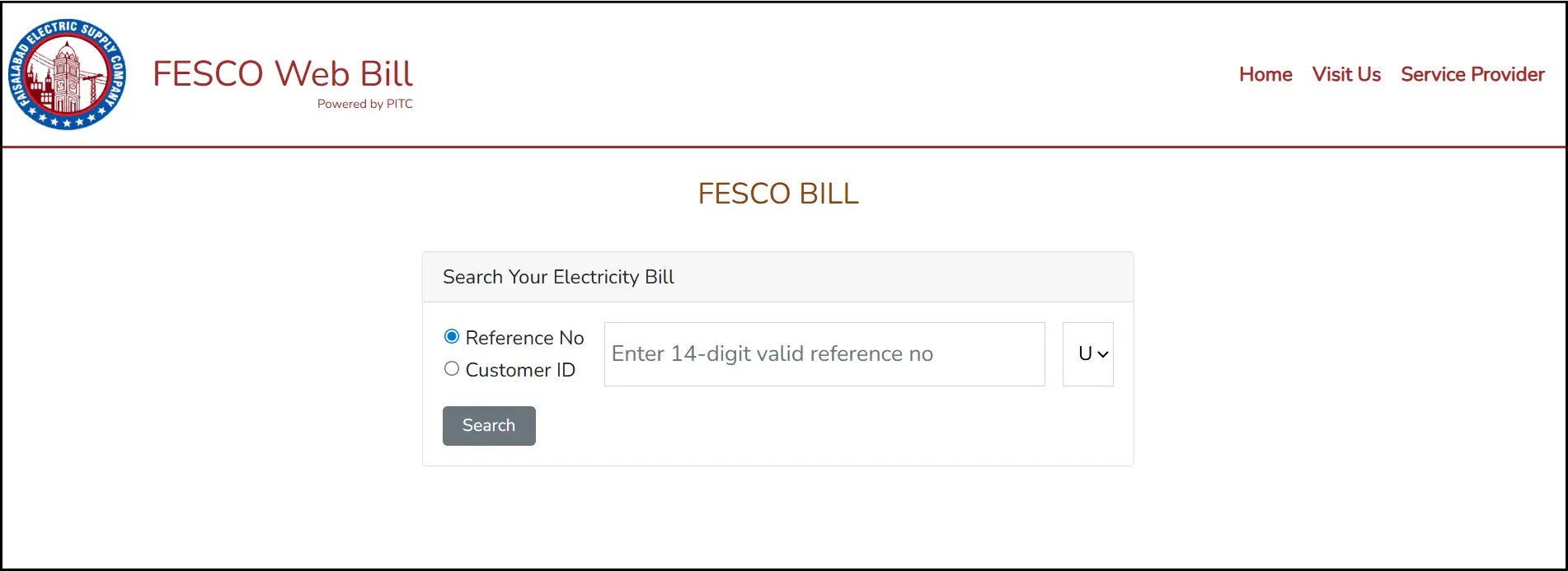
This is the most reliable method and works on every smartphone and computer. The official source of FESCO bill data is the PITC (Power Information Technology Company) portal, which feeds all third party bill checking websites.
Steps:
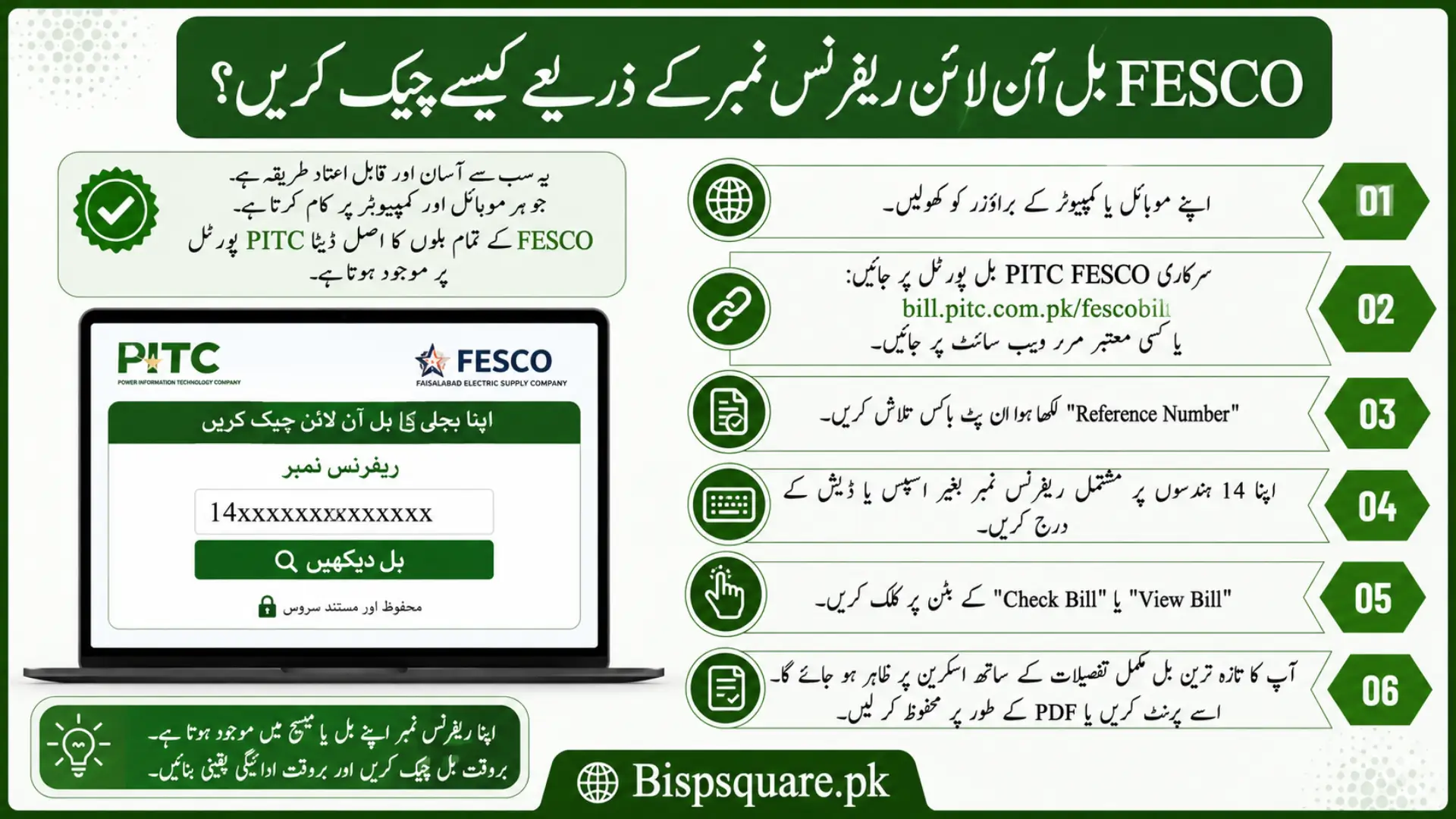
- Open your mobile or web browser.
- Visit the official PITC FESCO bill portal at bill.pitc.com.pk/fescobill or any trusted mirror site.
- Find the input box that says “Reference Number”.
- Type your 14 digit reference number without any spaces or dashes.
- Click on the View Bill or Check Bill button.
- Your latest bill will appear on screen with full details.
- Use the print button to print it or save it as PDF on your device.
Where to Find Your FESCO Reference Number
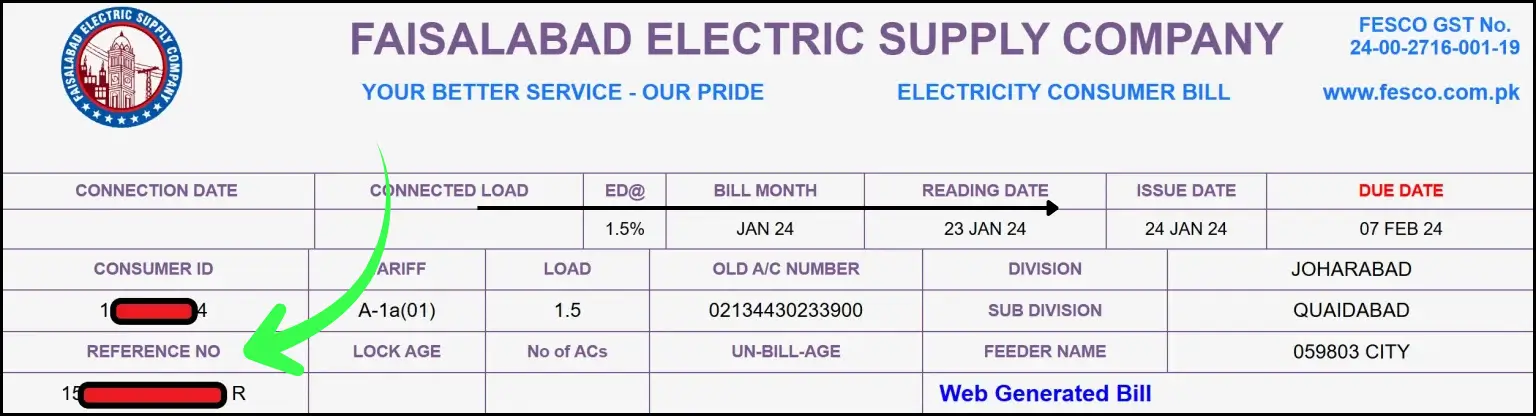
The reference number is a 14 digit unique code printed on every FESCO bill. Without it, you cannot check your bill online. You can find this number on the top left corner of any old electricity bill you received from FESCO.
The reference number does not change. It is permanently linked to your meter and connection. So once you note it down, you can use the same number every month to check your bill.
If you have lost all your old bills, here is what you can do:
- Ask your neighbour to share their reference number format so you know what it looks like.
- Visit your nearest FESCO Customer Service Center with your CNIC and meter number.
- Call the FESCO helpline 118 or 0800-66-118 and request your reference number with your address and CNIC.
Can I Check FESCO Bill by CNIC or Meter Number?
This is the most common question we receive, and the honest answer is no. Currently FESCO does not allow bill checking by CNIC number, name, address, or meter number. The 14 digit reference number is the only valid input. The 10 digit customer ID also works on some portals but is less commonly used.
If anyone claims to check your FESCO bill by CNIC, the service is not official and may not show accurate data. Always rely on the reference number method.
Understanding the Charges on Your FESCO Bill
Many consumers find their bill confusing because of so many line items. Here is what each charge actually means.
| Monthly Usage | Estimated Savings per Month |
|---|---|
| 1 to 50 units | Rs. 500 to Rs. 800 |
| 51 to 100 units | Rs. 800 to Rs. 1,200 |
| 101 to 200 units | Rs. 1,200 to Rs. 2,000+ |
| Above 200 units | No subsidy applied for that month |
How to Pay FESCO Bill After Checking it
Once you have your bill, paying it is easy. You do not need to stand in long bank queues anymore.
Online payment options
- JazzCash mobile app or USSD code 786.
- Easypaisa app, retail agent, or franchise.
- Internet banking from HBL, UBL, Meezan, MCB, Bank Alfalah, Faysal Bank, and others.
- 1Link enabled ATMs across Pakistan.
- SadaPay, NayaPay, and other digital wallets.
Manual payment options
- Any branch of NBP, UBL, HBL, Bank Alfalah, Bank of Punjab, Faysal Bank, or MCB.
- Designated post offices.
- FESCO authorised payment counters.
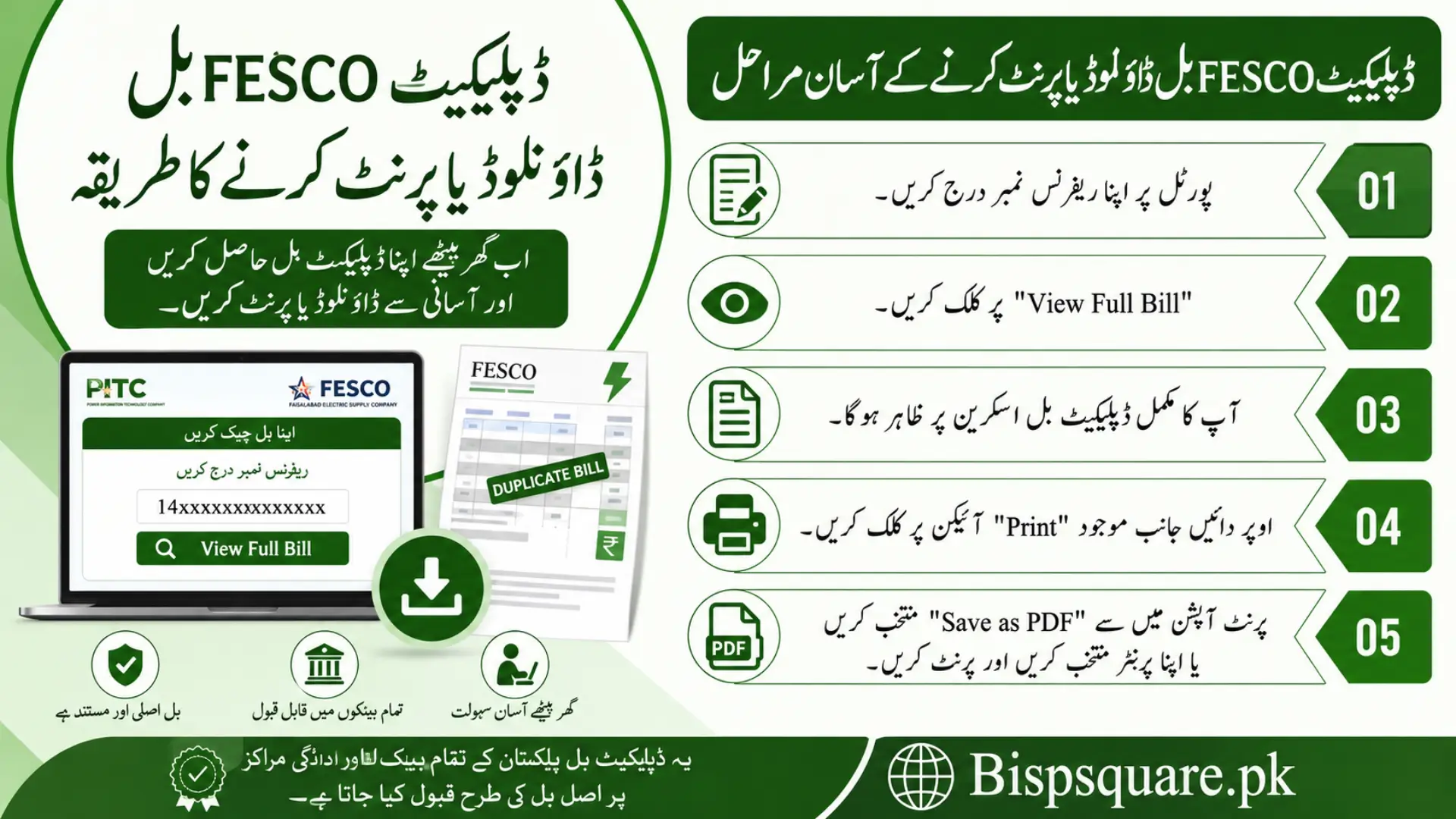
How to Download or Print Duplicate FESCO Bill
The online portal not only shows your current bill but also lets you take a printable copy. This is useful when the original paper bill does not arrive.
- Enter your reference number on the portal.
- Click View Full Bill.
- A complete copy of your duplicate bill will load on screen.
- Click the Print icon at the top right of the page.
- From the print options, select Save as PDF to download it, or pick your printer to print it directly.
This duplicate bill is officially accepted at all banks and payment counters in Pakistan.
Also Read> Wazir e Azam Apna Ghar Program 2026
Common FESCO Bill Problems and Solutions
My bill is not showing online: Recheck your 14 digit reference number. Even one wrong digit will show no result. New bills usually appear on the portal within a few days of the meter reading date.
My bill shows wrong units this month: Compare the current month reading with your meter. If there is a big difference, visit your nearest FESCO sub division office with your bill and meter photos to request rechecking.
I cannot find my reference number anywhere: Call the FESCO helpline at 118 from PTCL or 0800-66-118. Provide your address and CNIC, and they will help you trace it.
My bill is too high compared to usage: Detection bills are sometimes added if FESCO suspects meter tampering or slow reading. You can challenge this by submitting an application at the FESCO sub division office with proof of normal usage.
How to Reduce Your FESCO Bill
Most consumers in Pakistan can lower their monthly bill by around 20 to 30% just by adjusting daily habits. Here are practical tips:
- Avoid heavy appliances (AC, washing machine, iron, water pump) during peak hours.
- Replace ordinary bulbs with LED lights, they use up to 80% less power.
- Unplug chargers and electronics when not in use.
- Set AC temperature to 26 degrees Celsius or higher for energy efficient cooling.
- Use natural light during the day and switch off room lights when not needed.
- Install a solar panel system if your monthly usage exceeds 300 units.
FESCO Helpline and Contact Numbers
| Service | Contact |
|---|---|
| FESCO Universal Helpline | 118 or 0800-66-118 |
| FESCO Head Office | +92-41-9220184, +92-41-9220229 |
| FESCO Head Office Fax | +92-41-9220233 |
| FESCO Head Office Address | West Canal Road, Abdullah Pur, Faisalabad |
| Complaint Portal | Customer Complaint Management System (CCMS) |
Frequently Asked Questions
Can I check FESCO bill without reference number?
No. The 14 digit reference number is required to check your FESCO bill online. CNIC, name, or address based checking is not available right now.
Is FESCO online bill the same as the paper bill?
Yes. The online bill is a duplicate of the original. It is accepted everywhere, including banks, JazzCash, Easypaisa, and ATM payments.
How can I get my FESCO bill on email?
Some third party FESCO bill websites offer an email subscription service. You enter your reference number and email once, then receive your bill every month automatically.
What is the due date for FESCO bill?
The due date is usually 15 to 21 days after the bill is issued. It is printed clearly on your bill. Paying after this date adds a Late Payment Surcharge.
How can I check if my FESCO bill is already paid?
Open your full bill on the portal and scroll to the payment history section. You will see the status of the last 12 months. Paid bills show a green tick or paid stamp.
Conclusion
Checking your FESCO bill online has made life much easier for Punjab residents. You no longer need to wait for paper bills, run to the FESCO office, or pay a late surcharge because of a missing copy. Just keep your 14 digit reference number saved on your phone, and your bill is one tap away.
Make it a habit to check your bill a few days before the due date. This way you can pay on time, avoid extra charges, and even spot any wrong reading early. For payments, use JazzCash or Easypaisa for the fastest experience. Bookmark your FESCO bill portal today so you never miss a month again.