
LESCO Bill Check Online 2026 – Check & Download Duplicate Bill
If you have not received your paper electricity bill or simply want to check the amount before the due date, you can use the LESCO bill check online tool above. Enter your 14-digit reference number or customer ID to access your bill, check the payable amount and due date, and open the duplicate bill for printing or saving. The service is useful for LESCO consumers in Lahore and other areas served by Lahore Electric Supply Company. You do not need to wait for the paper copy to arrive before checking your current bill.
Important: This website is an independent bill-checking service and is not the official LESCO website. For payment disputes, account changes, complaints, or other official matters, use LESCO/PITC support channels.
LESCO Online Bill Check
The easiest way to perform an LESCO online bill check is to use the reference number printed on your previous bill. You can also use the customer ID option when supported by the billing system. Our checker is designed to help you:
- Check your latest LESCO electricity bill online
- Find the payable amount
- Check the bill due date
- Access a duplicate bill
- View the bill without waiting for the paper copy
- Print or save the bill from the bill-view page
- Check your bill from a mobile phone, tablet, or computer
A duplicate bill is simply an online copy of your electricity bill. It can be useful when the original paper bill is lost, damaged, or delivered late. For account-specific information, always compare the online record with the billing information provided through the official electricity billing system.
How to Check LESCO Bill Online
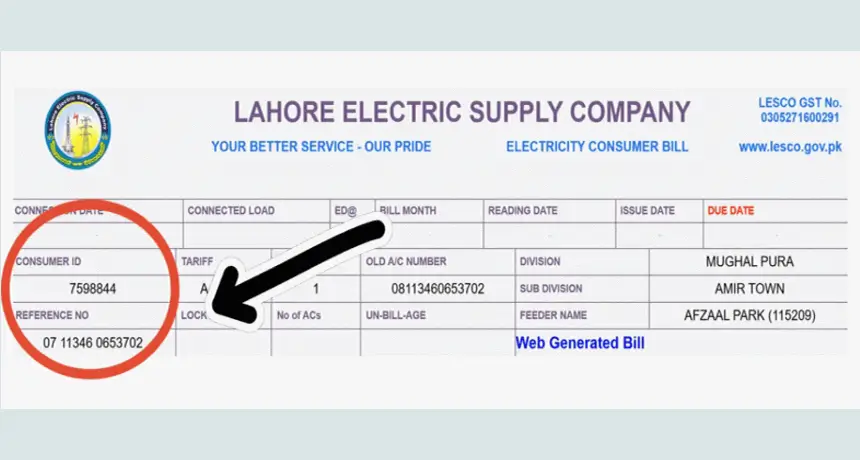
You only need the identification number associated with your electricity connection. The two common options are the reference number and customer ID.
By Reference Number
The reference number is the main number to use when you want to check a LESCO bill online. Follow these steps:
- Find the reference number on an old LESCO bill.
- Select Reference Number in the bill checker.
- Enter the required digits without adding unnecessary spaces.
- Click Search Bill.
- Wait while the system connects to the billing record.
- When the bill record is available, select View Bill.
- From the bill page, review the amount and due date.
- Use your browser’s print option if you want a PDF or printed copy.
If the number is rejected, check each digit against your previous bill. A single incorrect digit can prevent the system from finding the correct account.
By Customer ID
A customer ID is another identifier associated with your electricity connection. If you have the customer ID shown on your previous bill, select the Customer ID option in the checker and enter the required number. The exact input format can depend on the billing interface, so follow the number of digits requested by the tool rather than adding extra numbers from another field on the bill. After entering the customer ID, select Search Bill and open the available bill record.
LESCO Bill Check by Serial Number
LESCO bill check by serial number is a common search query, but a meter serial number and a bill reference number are not the same thing. The meter serial number identifies the physical electricity meter. The reference number identifies the billing connection used for online bill lookup. You may see both numbers on your electricity documents, but you should not assume that the meter serial number can replace the reference number in an online bill checker. If you only have the meter serial number, look at an older bill to find the reference number or customer ID. These are the details you should normally use for an online bill search.
Where to Find LESCO Reference Number and Customer ID
You can usually find the required identification details on a previous LESCO bill. Keep an old bill saved on your phone or computer because it can make future bill checks much easier.
Reference Number
The reference number is printed prominently on the electricity bill and is commonly used to retrieve the consumer’s billing record. Before entering it into an online checker, compare the number carefully with your bill. Do not substitute the meter number, account number, or another number simply because it looks similar.
Customer ID
The customer ID is another account identifier printed on the bill. If your preferred bill-checking service provides a customer ID option, enter the customer ID exactly as shown. If you are unsure which number to use, the reference number is generally the simplest starting point for an online LESCO bill check.
Reference Number vs Customer ID
| Detail | Reference Number | Customer ID |
|---|---|---|
| Purpose | Identifies the billing connection | Identifies the consumer/account |
| Found on bill | Yes | Yes |
| Used for online lookup | Yes | Supported by some bill portals |
| Should you enter spaces? | Follow the checker instructions | Follow the checker instructions |
| Can it replace the meter serial number? | It is a different identifier | It is a different identifier |
The important point is simple: reference number, customer ID, and meter serial number are different fields. Use the identifier requested by the bill-checking system.
How to Download LESCO Duplicate Bill as PDF
After opening your duplicate LESCO bill, you can usually save a copy as a PDF through your browser.
On a computer
- Open the bill.
- Press Ctrl + P on Windows or Command + P on Mac.
- Select Save as PDF as the printer.
- Choose the folder where you want to save the file.
- Click Save.
On a mobile phone
Open the bill in your browser and use the browser’s Share, Print, or Save as PDF option, depending on your phone. Saving the duplicate bill is useful if you want to keep a record of the billing month, amount payable, or payment information. Do not confuse a duplicate bill with a new bill. A duplicate is a copy of the billing record; it does not create another electricity charge.
What Information Is Shown on a LESCO Bill?
A LESCO electricity bill contains more than just the amount you need to pay. Understanding the main sections can help you identify mistakes and unusual charges.
Customer Details
The customer section may include information such as:
- Consumer name
- Billing address
- Reference number
- Customer ID
- Connection information
- Tariff/category
- Meter-related identification
Check these details when you open a duplicate bill. If the name or connection information does not match your account, do not make assumptions based only on the amount shown.
Metering Information
The metering section provides information about electricity consumption. Depending on the bill format and connection type, you may see:
- Previous reading
- Current reading
- Units consumed
- Meter number
- Reading dates
- Billing period
- Consumption-related information
Electricity consumption is generally expressed in kWh (kilowatt-hours). One kWh represents the use of 1 kilowatt of electrical power for one hour.
Billing Charges
The bill can contain several components rather than one simple per-unit charge. You may see electricity charges alongside adjustments, surcharges, duties, taxes, arrears, or other applicable amounts. This is why comparing only the number of units with a previous month does not always explain why the final bill changed.
Due Date and Payment Status
The bill normally shows the date by which payment should be made and the amount payable. Always check the current bill’s due date and payable amount rather than relying on an old bill. If a bill is paid after its due date, additional charges may apply according to the applicable billing rules.
LESCO Bill Payment Methods
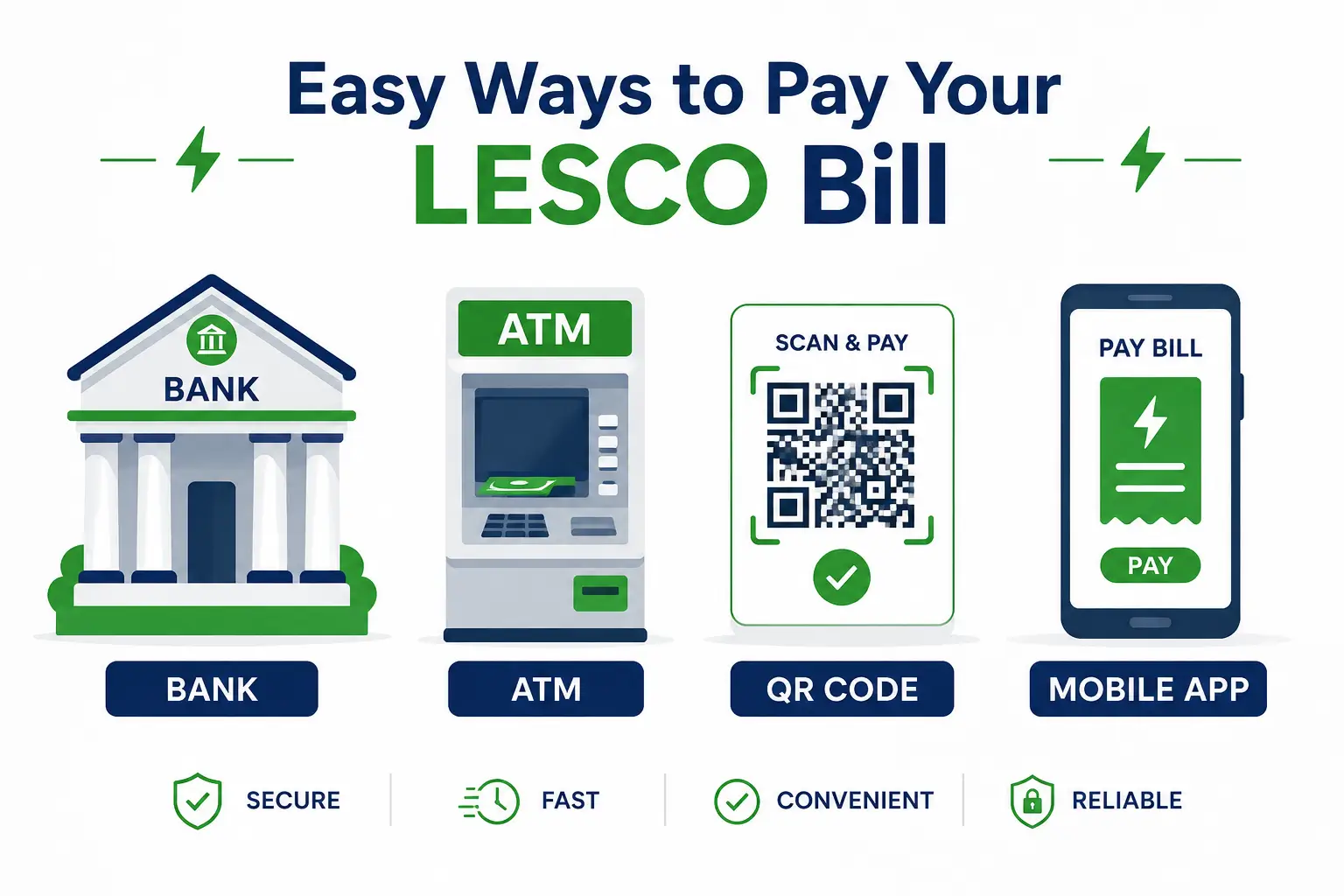
Checking your bill online and paying it are two separate steps. After confirming the bill details, you can choose a payment method available through your bank, wallet, or supported payment service. Available options can change, so check the current payment options shown by your bank or the official billing/payment system before completing a transaction.
Banks
Many commercial and scheduled banks provide utility bill payment through their branches and digital banking services. If paying at a branch, keep the payment receipt as proof.
ATM
Some bank ATMs provide a Bill Payment option. The exact menu varies by bank. A typical process is:
- Insert your card.
- Enter your PIN.
- Open the bill-payment option.
- Select electricity/LESCO.
- Enter the required reference number.
- Confirm the displayed bill information.
- Complete the payment.
- Keep the receipt.
Mobile Wallets
Mobile wallets may provide electricity bill payment through their utility-bill sections. The exact options and process can change, so select LESCO from the current list inside your wallet app and verify the bill information before paying. Never share your wallet PIN, OTP, or password with someone claiming to be a LESCO representative.
Internet Banking
You can also check whether your bank’s mobile or internet banking service supports LESCO payments. Usually, you select Bills/Payments → Electricity → LESCO, enter the required account information, confirm the displayed amount, and complete the transaction.
QR Code
If your bill contains a supported payment QR code, you may be able to scan it through a compatible bank or wallet app. Always check the recipient, consumer information, and amount displayed by the payment application before confirming.
Power Smart App
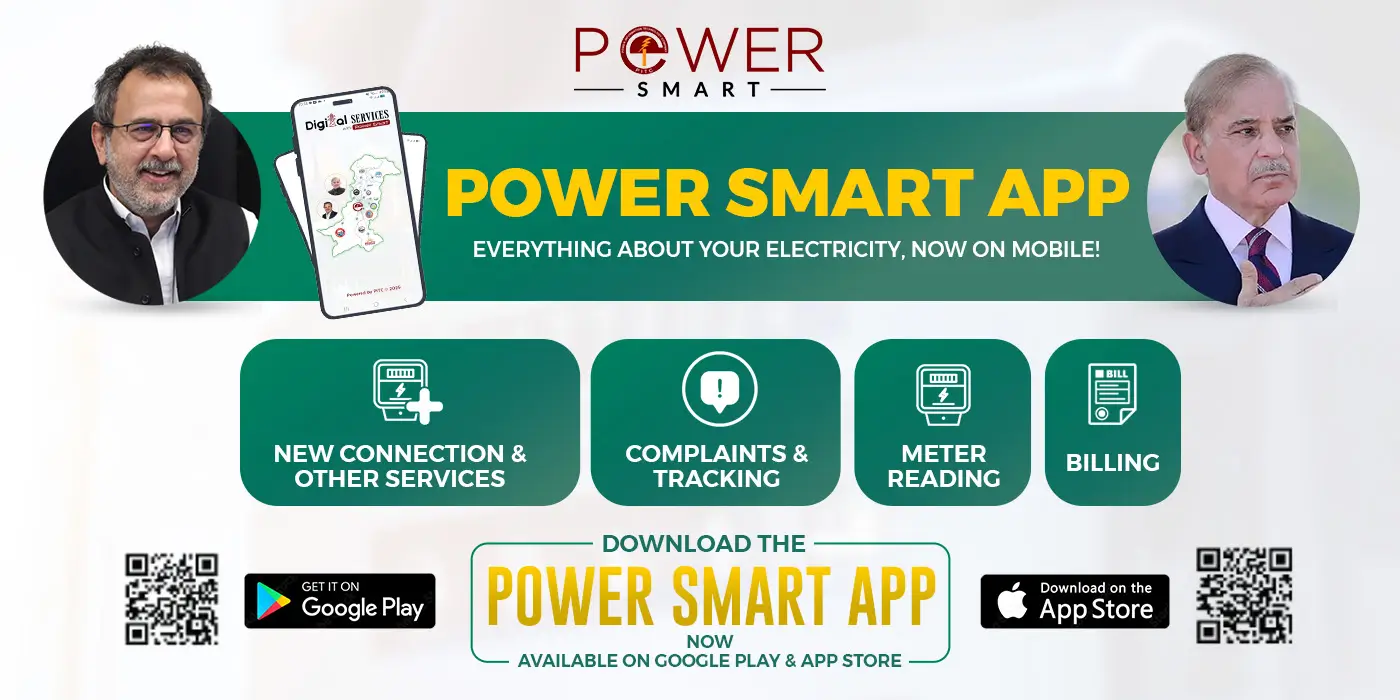
The Power Smart app is a PITC-developed application for power consumers. Its current app information says it can display actual monthly electricity bills and their paid/unpaid status for associated reference numbers. It also supports other electricity-related services. Because app features and availability can change, use the latest version and follow the instructions shown inside the application.
Raast
Raast is Pakistan’s instant payment infrastructure. Where your bank or payment application supports the relevant bill-payment option, follow the current instructions shown in the app. Before confirming a payment, verify that the displayed consumer and amount match your LESCO bill.
LESCO Bill Check App
If you regularly check your electricity account from a phone, a dedicated app can be useful. However, you do not necessarily need an app for a one-time LESCO bill check online. Two PITC-related applications are particularly relevant.
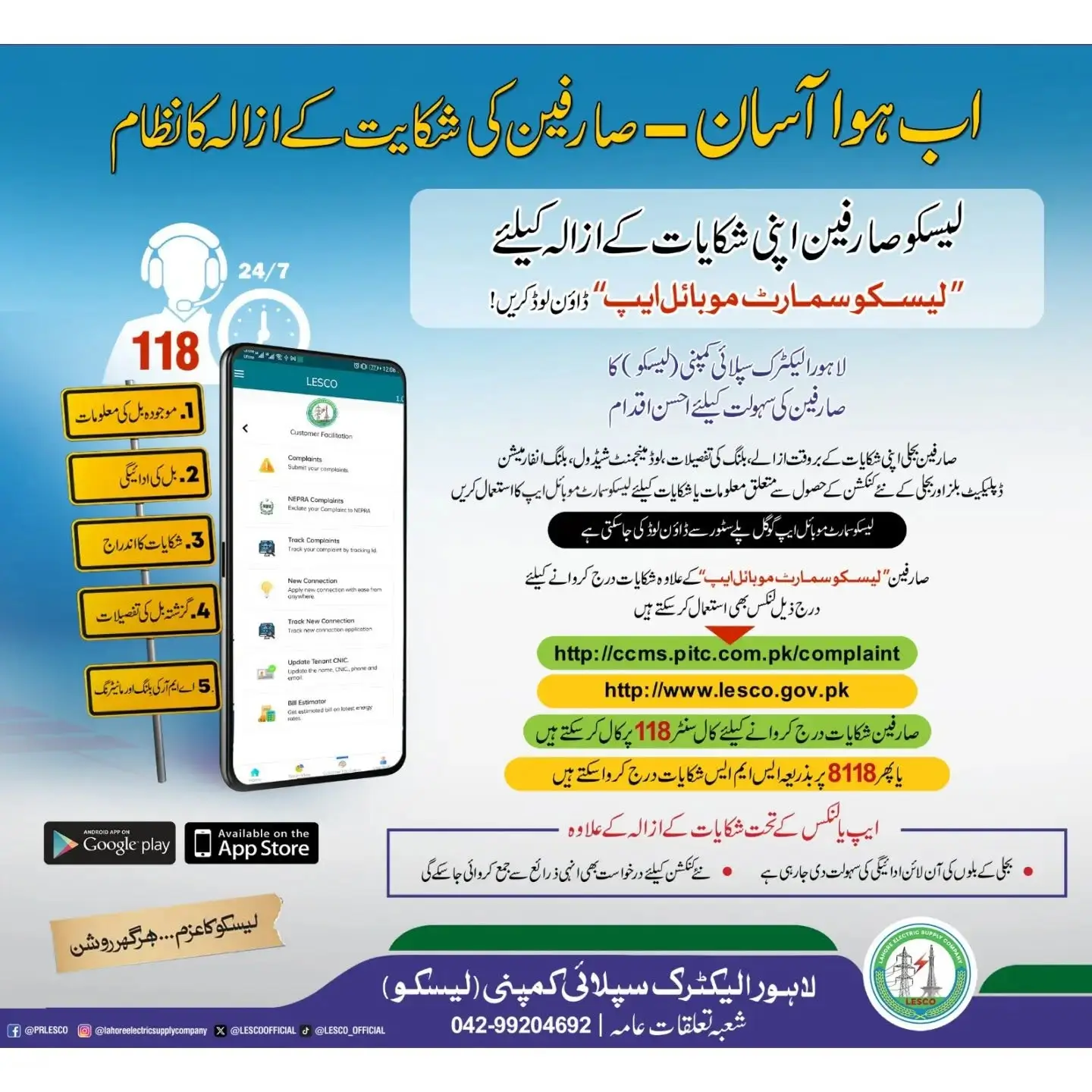
LESCO SMART App
LESCO SMART is a mobile application listed by PITC for LESCO consumers. The Google Play listing identifies PITC as the developer and shows an April 2026 update. The app is designed to provide electricity-consumer services. The app’s current store listing also shows user reviews reporting loading and login problems. Therefore, if the app does not work on your device, using an online bill-checking route can be a practical alternative.
Power Smart App
Power Smart is a broader power-consumer application from Power Information Technology Company. Its current listing says consumers can associate meters with their profile, monitor consumption information, and view monthly actual bills with paid or unpaid status for associated reference numbers. The app is more useful if you want ongoing electricity-management features rather than simply obtaining a duplicate bill. For a quick bill check, entering your reference number into an online checker can be faster than installing and configuring an application.
LESCO Online Bill Check for Lahore
LESCO stands for Lahore Electric Supply Company. It is the electricity distribution company serving its designated service territory in Punjab.
For consumers searching LESCO bill Lahore, the process is the same: use the identification information associated with your electricity connection and check the available billing record. If you live in Lahore and did not receive your paper bill, you do not necessarily need to visit an office just to find the payable amount. An online bill check can help you access the available billing record first. However, billing problems, incorrect meter readings, connection changes, or payment disputes may require direct contact with the electricity provider.
LESCO Bill Check for June 2026 / Current Billing Month
If you are searching for LESCO bill June 2026, first make sure you are checking the correct billing period. Electricity bills are generated according to the billing cycle associated with the connection. The latest bill may not appear immediately if the reading or billing record has not yet been processed.
When checking a particular month:
- Enter the correct reference number.
- Open the available bill.
- Check the billing period or issue date.
- Confirm the meter-reading dates.
- Check the due date and payable amount.
The same approach works for July, August, or later billing months. You should always rely on the billing period printed on the actual bill rather than assuming that the newest record corresponds to the calendar month you searched for.
Areas Covered By LESCO – Check Districts
LESCO (Lahore Electric Supply Company) provides electricity to five districts in Punjab:
| Sr. No | LESCO Districts Circle | LESCO Divisions / Sub Divisions |
|---|---|---|
| 1 | Central Lahore Circle | 5 Divisions / 31 Sub Divisions |
| 2 | Eastern Lahore Circle | 4 Divisions / 23 Sub Divisions |
| 3 | Okara Circle | 4 Divisions / 23 Sub Divisions |
| 4 | South-Eastern LHR Circle | 4 Divisions / 26 Sub Divisions |
| 5 | Sheikhupura Circle | 4 Divisions / 18 Sub Divisions |
| 6 | Kasur Circle | 5 Divisions / 30 Sub Divisions |
| 7 | Nankana Circle | 4 Divisions / 16 Sub Divisions |
How to Check a Previous LESCO Bill
A current duplicate bill and an old bill are not always the same thing. If you need a previous LESCO bill, first check whether the billing portal or app associated with your account provides historical billing information. Some consumer applications can display monthly billing information for associated reference numbers. You can also keep your own archive by saving each monthly bill as a PDF.
For example, create a folder such as:
LESCO Bills → 2026 → June → July → August
This makes it easier to compare consumption and charges later. If the online system only displays the current bill, do not assume that an old bill can be retrieved using the same lookup page. Historical records depend on the service being used.
Common LESCO Bill Check Problems
An online bill checker can fail for several reasons. Most problems are related to the number entered, the availability of the billing record, or temporary service issues.
Invalid Reference Number
If you see an invalid-number message:
- Check every digit against your old bill.
- Make sure you are using the reference number rather than the meter serial number.
- Remove accidental spaces if the form does not accept them.
- Make sure you have entered the number of digits requested.
- Try again after carefully comparing the number.
If the number on your old bill is unclear, use a clearer copy instead of guessing.
Bill Not Found
A bill not found message does not always mean that your electricity connection is invalid. Possible reasons include:
- Incorrect reference number
- Newly created or changed connection
- Billing record not yet available
- Temporary issue with the billing system
- Wrong identifier
- Service interruption
First recheck your information. If the same problem continues, try the official billing route or contact LESCO support.
Website Not Loading
If the bill page keeps loading:
- Refresh the page once.
- Check your internet connection.
- Try another browser.
- Disable a browser extension that may interfere with the page.
- Try again later if the billing service itself is unavailable.
Do not repeatedly submit the same payment transaction just because a confirmation page is slow. If money has already been deducted, check your transaction history before trying again.
Bill Amount Looks Wrong
A higher bill does not necessarily mean that the unit rate alone increased. The total can be affected by:
- Higher electricity consumption
- Billing-period differences
- Arrears
- Adjustments
- Taxes
- Surcharges
- Meter-reading differences
- Other applicable charges
Compare the current bill with the previous bill line by line instead of comparing only the final amount. If the reading or charges appear incorrect, contact LESCO through an official support channel rather than relying on a third-party calculation.
LESCO Bill Due Date and Late Payment
Your bill’s due date is one of the most important details to check when you perform an online bill lookup. The bill normally provides the amount payable by the due date and may also show information relevant to payment after the due date. Do not rely on a fixed late-payment percentage copied from an old website because electricity billing rules, charges, and bill formats can change. If you have already missed the due date:
- Open the latest bill.
- Check the amount currently payable.
- Review any late-payment information shown on the bill.
- Pay through a supported payment channel.
- Keep the payment receipt or transaction ID.
For a payment that does not appear in the billing system, keep your bank or wallet transaction reference and contact the relevant support service.
Tips to Reduce Your LESCO Bill
A few small habits can make a real difference in your monthly total.
Try to run heavy appliances like air conditioners and washing machines during off peak hours when possible. Switch off lights and fans in empty rooms, and unplug chargers and devices that draw power even while turned off. Replacing old bulbs with LED lighting cuts down usage noticeably over time. Keeping your air conditioner’s filters clean also helps it run more efficiently instead of working harder than it needs to.
One habit that catches problems early is comparing your units consumed to last month’s bill every time you check. A sudden jump often means a specific appliance is drawing more power than usual, or in rare cases, a meter reading error worth reporting before it repeats.
LESCO New Connection
If you are applying for a new electricity connection, you may not yet have the reference number required for a normal online bill lookup. The bill-checking process is intended for an existing electricity connection with an available billing record. For a new connection, use the applicable official LESCO/PITC application process and keep the documents or tracking information provided during the application. Once your connection has been established and a billing record is generated, you can use the relevant reference number or customer information for future bill checks.
LESCO Helpline and Customer Support
An online bill checker is useful for retrieving a bill, but it cannot resolve every electricity-account problem. You should contact LESCO or use its official support system for issues such as:
- Incorrect meter reading
- Wrong customer information
- Billing disputes
- Payment not reflected
- Meter problems
- New connection issues
- Disconnection/reconnection concerns
- Complaints about electricity service
When contacting support, keep your reference number, customer information, bill copy, and payment transaction ID available where relevant. Do not share your banking PIN, OTP, password, or other confidential payment credentials with anyone claiming to help you with a LESCO bill.
Frequently Asked Questions
How can I check my LESCO bill online?
Enter your 14 digit reference number or 7 digit customer ID into the tool on this page and click check bill. Your latest bill will load right away.
How do I check my LESCO bill by reference number?
Select the reference-number option, enter the required digits exactly as shown on your previous bill, and select Search Bill. Once the record is available, open the bill to see the billing details.
Can I check my LESCO bill using Customer ID?
Yes, where the billing service supports customer ID lookup. Enter the customer ID exactly as printed on your bill and follow the lookup instructions.
How do I get a LESCO duplicate bill?
Use your reference number or supported customer ID to retrieve the bill online. After opening it, you can print the duplicate or save it as a PDF through your browser.
Can I download my LESCO bill as a PDF?
Yes. Once the bill is open, use the browser’s print function and select Save as PDF. You can then keep the duplicate bill on your phone or computer.
How do I check my LESCO bill by serial number?
A meter serial number is different from the reference number used for bill lookup. If you only have the meter serial number, find an old bill and locate the reference number or customer ID instead.
What is the difference between a LESCO reference number and Customer ID?
Both identify information associated with your electricity connection, but they are different fields. The reference number is commonly used for bill retrieval, while customer ID is another consumer/account identifier supported by some billing services.
Is there a LESCO bill check app?
Yes. PITC currently lists LESCO SMART for LESCO consumers, and Power Smart is another PITC-developed application that provides electricity-related services and can display monthly actual bills for associated reference numbers.
Why is my LESCO bill not showing online?
Check that you entered the correct reference number or customer ID. If the information is correct, the billing record may not yet be available or the service may be experiencing a temporary problem. Try again later or use an official billing channel.
Can I check my previous LESCO bill online?
It depends on the billing service and whether historical records are available. Some electricity consumer apps provide monthly bill information for associated reference numbers. If you need a permanent record, save your bills as PDFs each month.
Disclaimer
This website provides an independent online utility and informational guide for LESCO consumers. It is not affiliated with, operated by, or officially endorsed by Lahore Electric Supply Company (LESCO). Bill information should be verified against the official electricity billing record before making payment or taking action on a billing dispute. Payment methods, app features, tariffs, fees, and billing procedures can change, so users should confirm current information through official LESCO/PITC channels. Never provide your banking PIN, OTP, password, or other confidential financial information to a third party claiming to check or resolve your LESCO bill.