
EOBI Registration Check by CNIC – Verify Your Status Online
Quick Answer
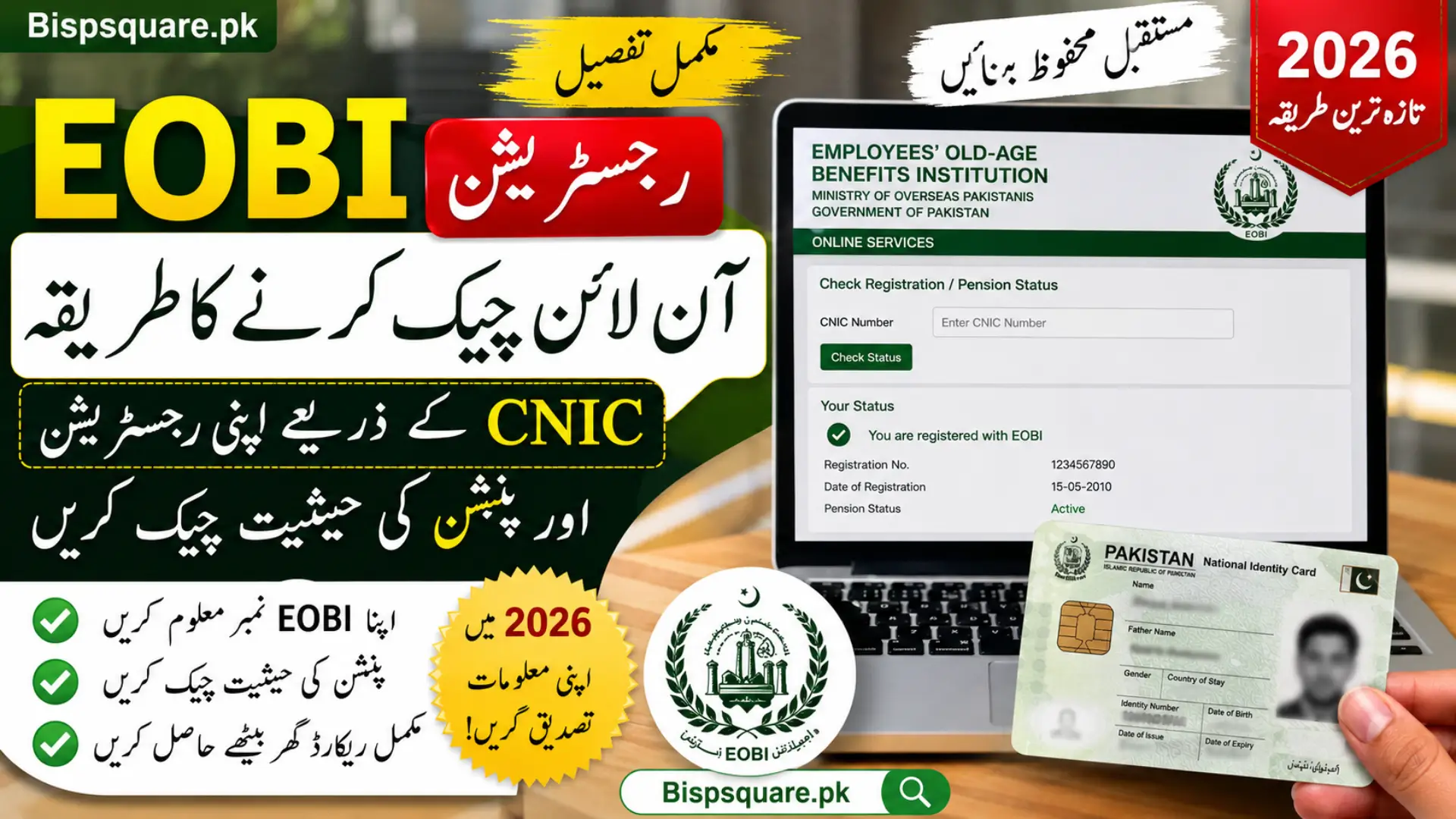
To check your EOBI registration by CNIC, visit eobi.gov.pk/eobifs/info-ind.htm, click on Insured Person/Employee Details, enter your 13 digit CNIC number without dashes, and press the search button. The system will show your EOBI PI number, employer name, and total months of contribution. Service is available Monday to Friday from 9 AM to 7 PM.
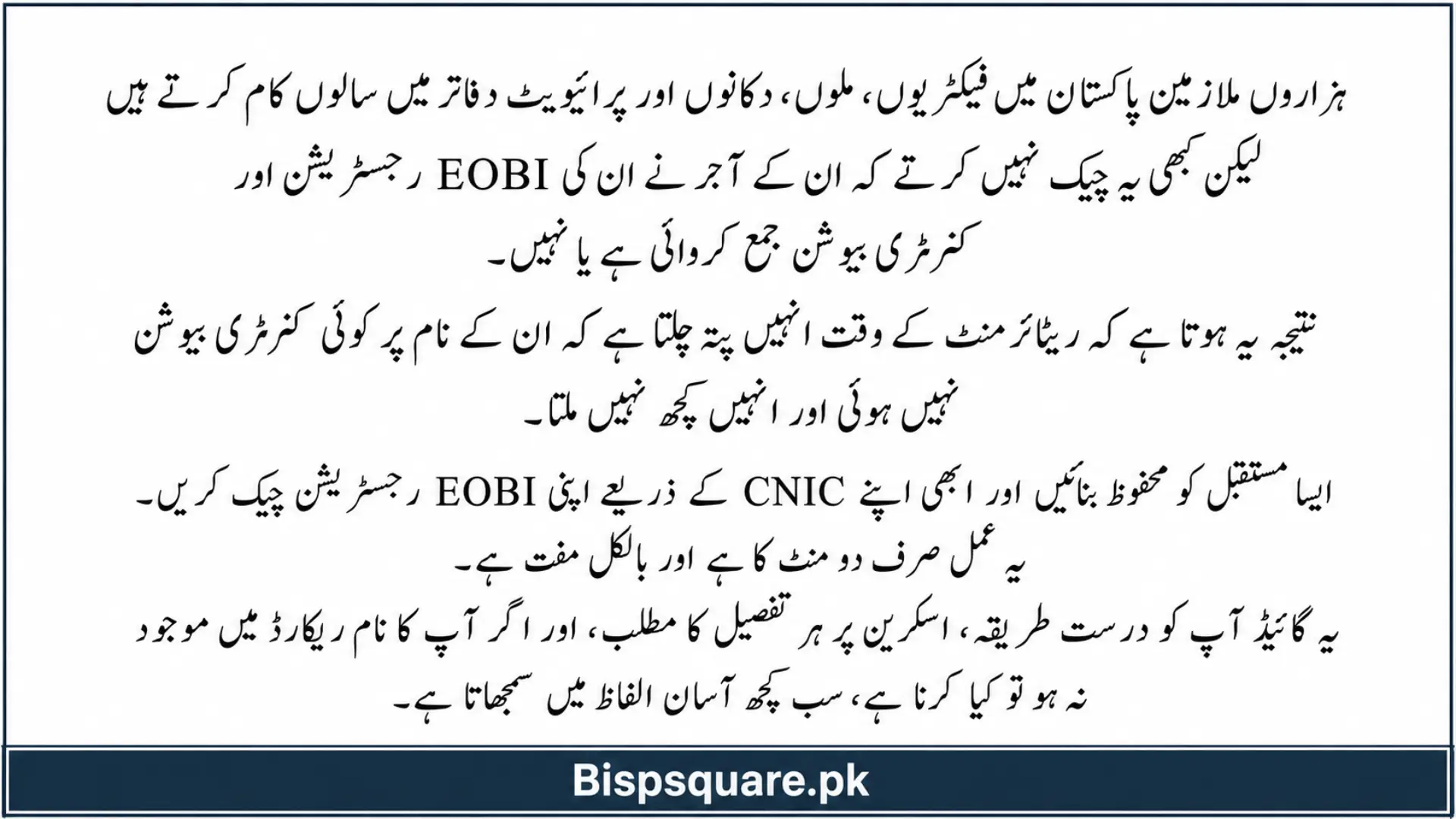
Thousands of employees in Pakistan work for years in factories, mills, shops, and private offices without ever checking whether their employer has properly registered them with EOBI. The result is heartbreaking. When retirement comes, they discover that no contributions were paid in their name and they get nothing.
Don’t let this happen to you. Checking your EOBI registration online with your CNIC takes less than two minutes and is completely free. This guide explains the exact method, what each detail on screen means, and what to do if your name is missing from the records. If you also want to explore other government support initiatives, you can read our detailed guide on the Cross Subsidy Program to understand its benefits and eligibility criteria.
What is EOBI and Why You Should Check Your Status
EOBI stands for Employees’ Old-Age Benefits Institution. It is a federal government body established in 1976 under the EOB Act to provide pension and financial protection to workers of the private sector in Pakistan.
Every private organisation with 5 or more employees is legally required to register its workers with EOBI. The employer pays 5% of the minimum wage as contribution, and the employee pays 1%. If your employer is honest, these payments are deposited monthly against your CNIC and form your pension fund.
Regular checking is important because:
- It confirms your employer is actually depositing your contributions.
- It helps you spot missed or short payments early.
- It builds your record across multiple jobs over the years.
- It ensures you receive pension on time when you retire.
Step by Step: Check EOBI Registration Online by CNIC
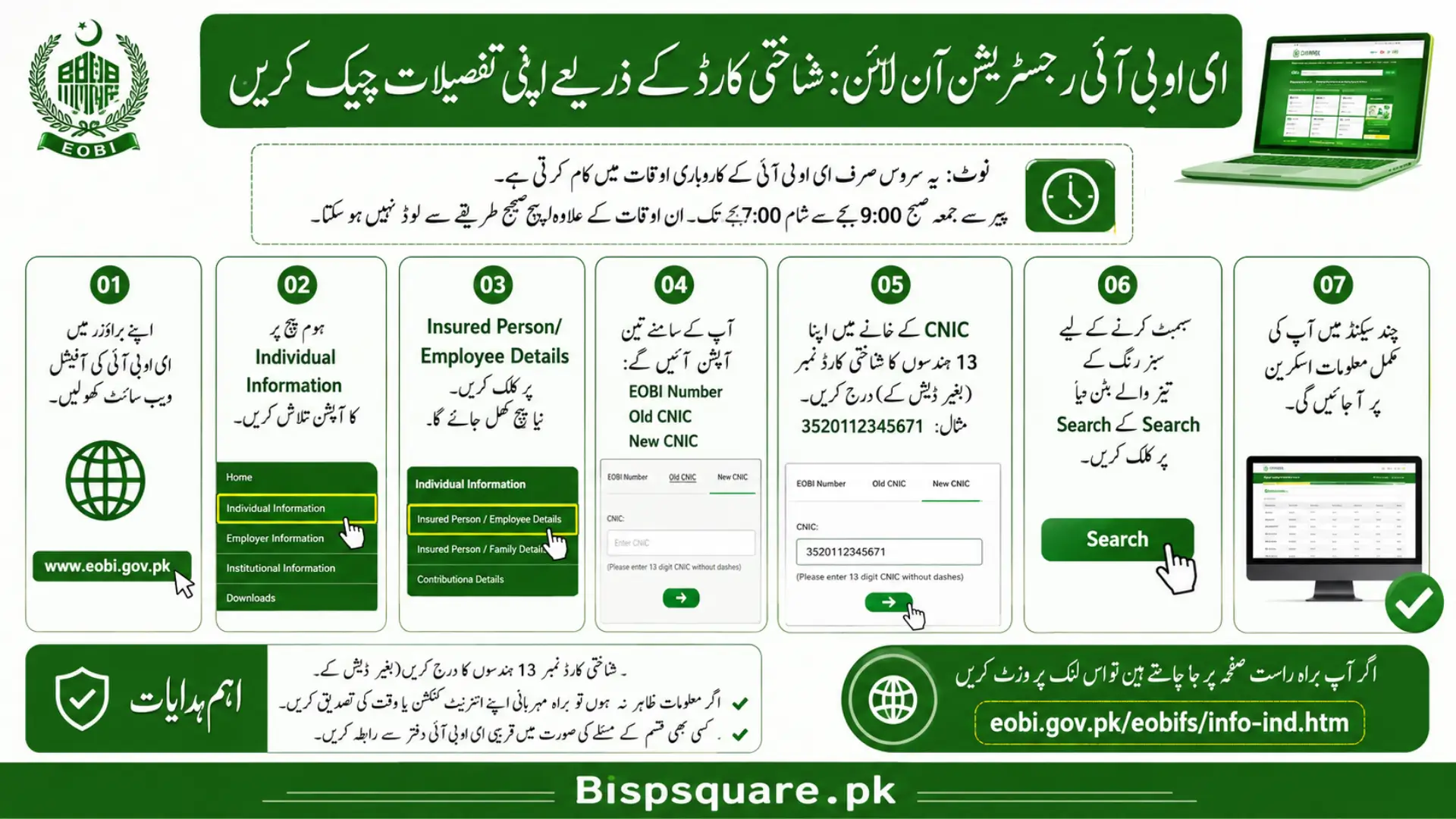
Follow these steps carefully to verify your EOBI status. The system works only during EOBI business hours, which are Monday to Friday between 9:00 AM and 7:00 PM. Outside these hours, the page may not load properly.
Steps:
- Open your browser and go to the official EOBI website www.eobi.gov.pk.
- On the homepage, look for the option Individual Information.
- Click on Insured Person/Employee Details. A new page will open.
- You will see three input options: EOBI Number, Old CNIC, or New CNIC.
- Click in the CNIC field and enter your 13 digit CNIC number without dashes (example: 3520112345671).
- Click the green arrow button or the Search button to submit.
- Within a few seconds, your record will be displayed on screen.
If you prefer the direct link, you can also visit eobi.gov.pk/eobifs/info-ind.htm to skip the homepage and go straight to the search page.
What You Will See in Your EOBI Record
Once your CNIC is verified, the system displays your complete EOBI record. Here is what each item means in simple terms.
| Field | What it Shows |
|---|---|
| PI Number | Your unique Insured Person registration number. |
| Full Name | The name registered with EOBI (should match CNIC). |
| Father / Husband Name | As recorded by your employer at the time of registration. |
| Date of Birth | Important for calculating retirement age. |
| Current Employer | The most recent organisation that contributed for you. |
| Total Months Paid | Total number of months your contributions have been recorded. |
| Contribution History | Month-wise breakdown of payments made by employers. |
How to Check EOBI Status Through Mobile App
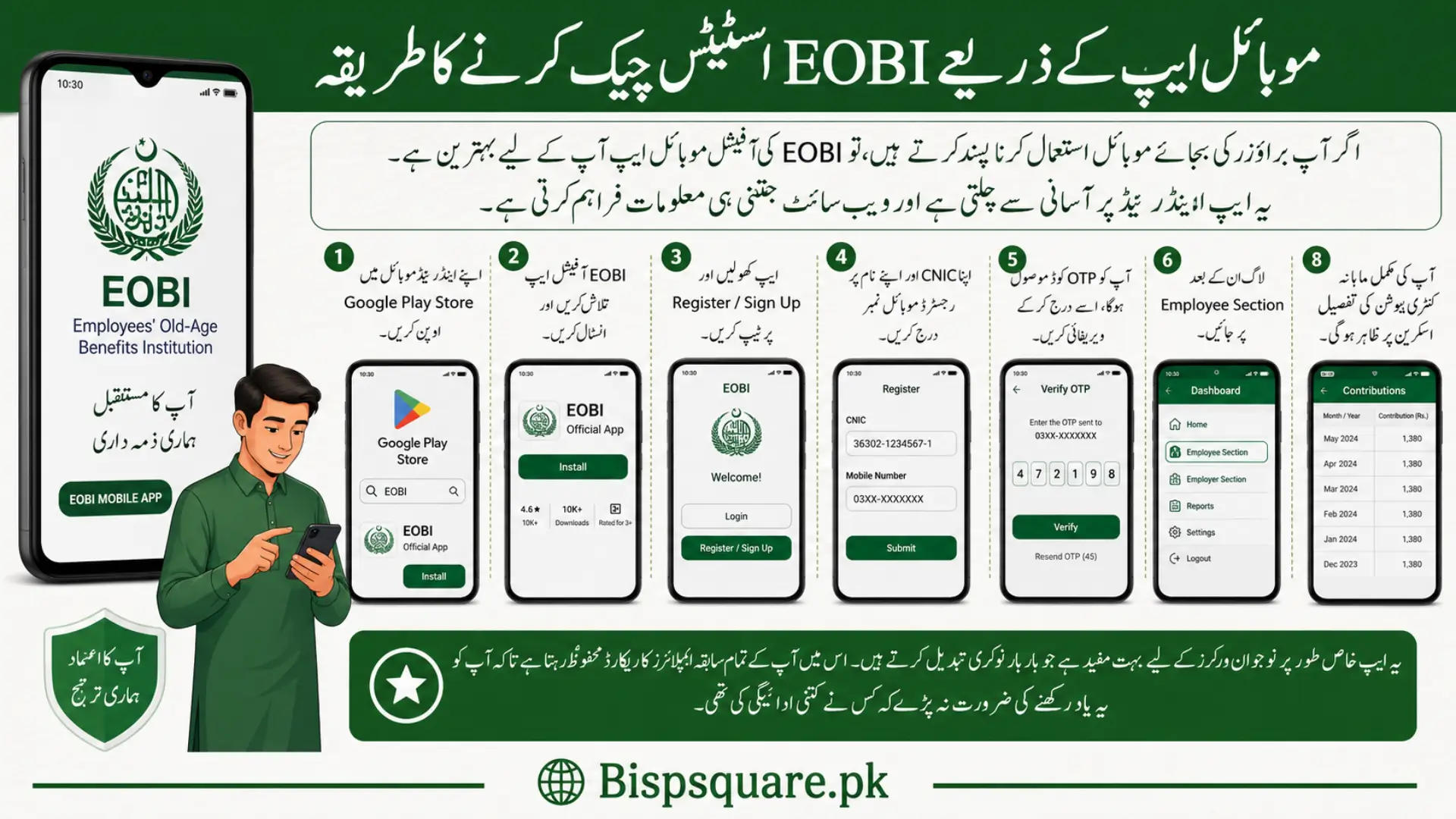
For people who prefer mobile over a browser, EOBI has launched an official mobile application. It works smoothly on Android and gives you the same information as the website.
Steps:
- Open Google Play Store on your Android phone.
- Search for EOBI and install the official EOBI app.
- Open the app and tap on Register or Sign Up.
- Enter your CNIC and a mobile number registered in your name.
- You will receive an OTP code. Enter it to verify your account.
- After login, tap on Employee Section.
- Select View Employment History or View Contributions.
- Your full month wise contribution record will be displayed.
The app is especially useful for younger workers who change jobs often. It keeps all your past employer records in one place so you do not have to remember who paid what.
EOBI Pension Benefits You Become Eligible For
Once you are properly registered and have paid contributions for the required years, you become eligible for multiple types of financial support from EOBI.
Old Age Pension
Monthly payment after retirement. Required service is minimum 15 years of contributions. Retirement age is 60 for men and 55 for women. The current minimum pension is around Rs 10,000 per month, though this is subject to government revisions.
Invalidity Pension
Lifetime monthly payment if you become permanently disabled and cannot work anymore. This protects you even before retirement age if accident or illness ends your career.
Survivor’s Pension
If a registered EOBI member passes away, the pension is transferred to the widow or widower for life. In case both spouses are not alive, the benefit can go to children or parents under conditions.
Old Age Grant
A one time lump sum payment for people who reach retirement age but did not complete the full 15 years of insured service. This way you do not lose your contributions completely.
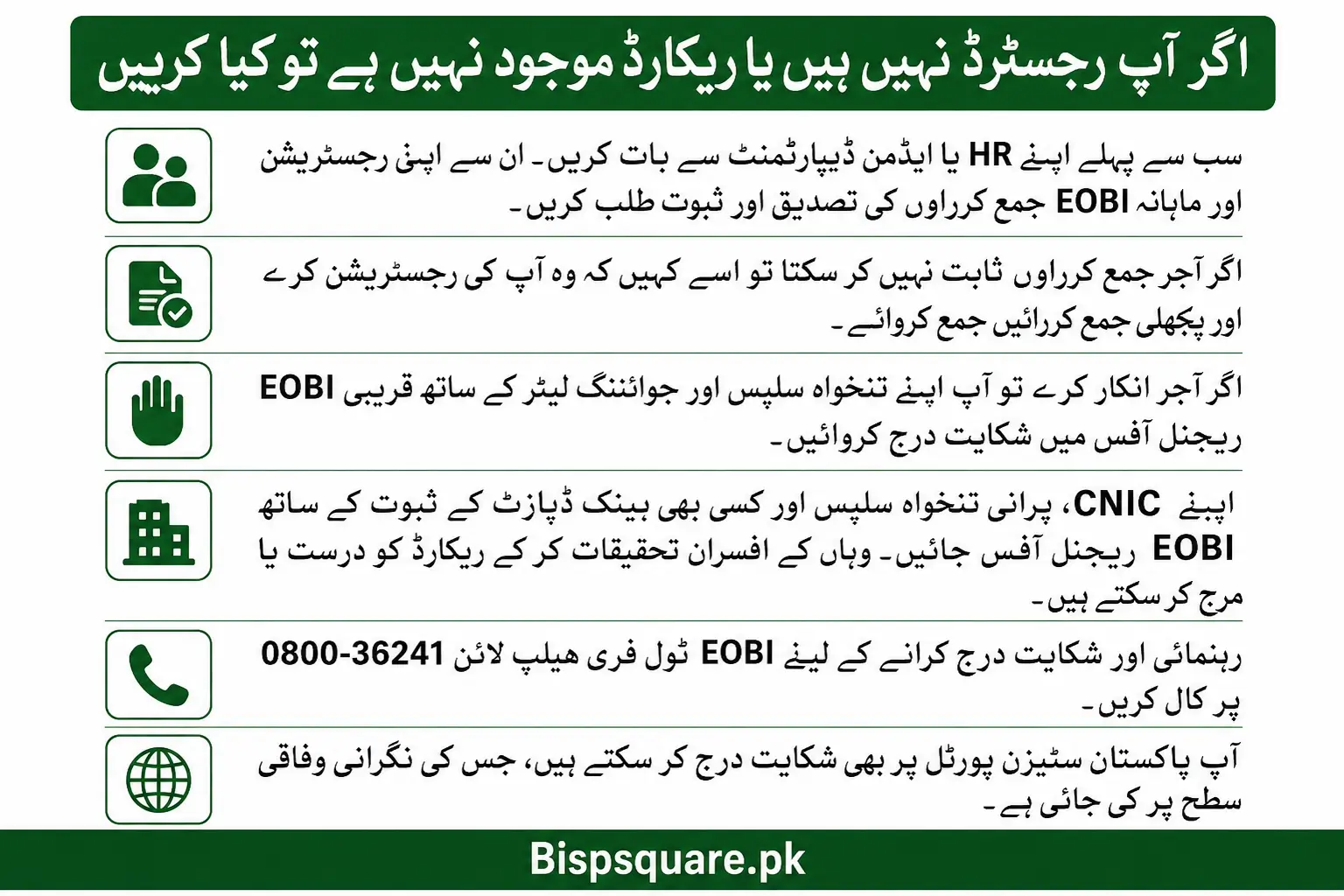
What to Do if You Are Not Registered or Records Are Missing
This is the most painful discovery for many workers. If your CNIC shows no record or wrong details, follow these steps right away. Time matters because old contributions are harder to recover.
- Talk to your HR or admin department first. Ask them to confirm your registration and show proof of monthly EOBI submissions for your CNIC.
- If the employer cannot prove submissions, request them to register you immediately and back-deposit contributions.
- If your employer refuses, you can file a complaint at the nearest EOBI regional office along with your salary slips and joining letter as proof.
- Visit the EOBI Regional Office with your CNIC, old salary slips, and any bank deposit proof. Officials there can investigate and merge records.
- Call the EOBI toll free helpline 0800-36241 for guidance and complaint registration.
- You can also file a complaint at the Pakistan Citizen Portal, which is monitored at the federal level.
Also Read> Sindh Laptop Scheme 2026 Starting In 45 Days
Common Issues While Checking EOBI Online
The website is not loading: EOBI individual information service runs only during office hours, Monday to Friday from 9 AM to 7 PM. Try again during these hours if the page does not open.
My record shows no contributions: This means your employer is not depositing the monthly contribution against your CNIC. Speak to your HR immediately and ask for written proof of submission.
My name or father’s name is wrong: Your employer entered incorrect information at the time of registration. Visit your nearest EOBI regional office with your original CNIC and request correction. Take a written application along with you.
I have worked in multiple companies but only one shows: Your old employers may have registered you under different PI numbers. Visit the EOBI regional office to request merging of all your records into one. Take your old appointment letters and CNICs if old number was different.
EOBI Contribution Rates 2026
The contribution is based on the official minimum wage set by the government. As minimum wage changes, the contribution amounts adjust accordingly.
| Paid By | Rate | Approximate Monthly Amount |
|---|---|---|
| Employer | 5% of minimum wage | Around Rs 1,600 to Rs 1,750 |
| Employee | 1% of minimum wage | Around Rs 320 to Rs 350 |
| Total Contribution | 6% of minimum wage | Around Rs 1,920 to Rs 2,100 |
These figures are based on a minimum wage of approximately Rs 32,000 to Rs 35,000. Always check the latest minimum wage notification for exact numbers, as the government revises it periodically.
Who is Eligible for EOBI Registration
- Pakistani citizens employed in private sector organisations with 5 or more workers.
- Both men and women are eligible.
- Factory workers, mill workers, shop staff, office staff, and other private employees.
- Minimum age at registration is 18 years.
- Employer must register the worker within 30 days of joining.
- Government employees and armed forces personnel are not covered by EOBI as they have their own pension systems.
EOBI Helpline and Contact Information
| Service | Contact |
|---|---|
| EOBI Official Website | www.eobi.gov.pk |
| Individual Information Page | eobi.gov.pk/eobifs/info-ind.htm |
| EOBI Toll Free Helpline | 0800-36241 |
| Bank Alfalah EOBI Card Helpline | (021) 111-225-229 |
| Service Hours | Monday to Friday, 9 AM to 7 PM |
| ds.complaint@ophrd.gov.pk | |
| Citizen Portal | Pakistan Citizen Portal (available 24/7) |
Frequently Asked Questions
Can I check EOBI registration without CNIC?
You can also check using your EOBI PI Number if you remember it. But for most people, CNIC is the easier and more practical option.
Is EOBI registration free for employees?
Yes. Registration is completely free. Your employer pays 5% of the minimum wage and only 1% is deducted from your salary as your share.
How many years of contribution do I need to get pension?
Minimum 15 years of contributions are required to qualify for the monthly Old Age Pension. Less than that, and you only receive a one time Old Age Grant.
What is the minimum EOBI pension in Pakistan?
The minimum pension is around Rs 10,000 per month at the time of writing. The government revises this amount from time to time. Maximum depends on your average wage and total months of service.
Can a housewife check EOBI status with her husband’s CNIC?
Yes. If your husband is registered, you can check his contribution status by entering his CNIC on the EOBI portal. This is helpful for monitoring family pension benefits.
Where can I collect my EOBI pension card?
EOBI pension cards are issued through Bank Alfalah branches. After your card is printed, you can collect it from your designated branch. To check card status, use the Card Status section on the EOBI portal.
Conclusion
Checking your EOBI registration online by CNIC is one of the smartest things a private sector worker in Pakistan can do. It takes only two minutes but can save years of regret at retirement age. The online system is free, official, and available right from your phone.
Make it a habit to check your EOBI status every 6 months. Confirm that your employer is depositing contributions, verify your personal details, and report any missing months immediately. Your retirement pension is built one contribution at a time, and your active monitoring is what keeps it on track.