
BISP SIM & Wallet Registration 2026 – Benazir SIM Activation Guide
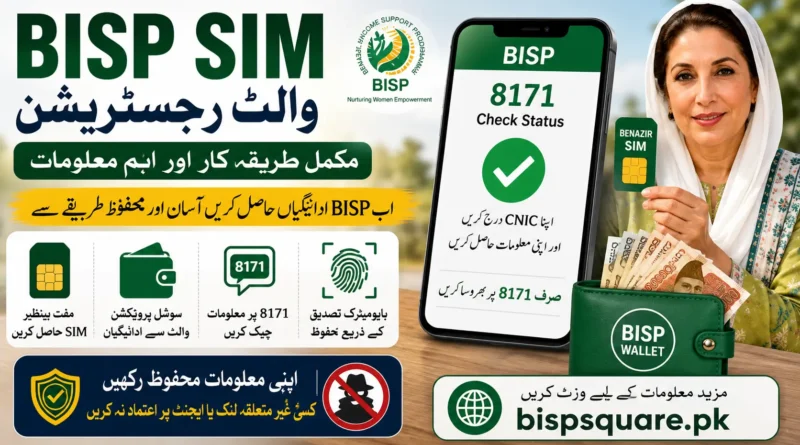
The BISP SIM and Social Protection Wallet system is being introduced to make it easier for eligible beneficiaries to receive BISP payments. Under this system, a free Benazir SIM is provided to eligible beneficiaries and linked with the digital wallet used for payment services. BISP has been expanding this system in different areas during 2026.
The new system connects several parts of the BISP payment process, including the beneficiary’s CNIC, mobile SIM, biometric verification, and digital wallet. The 8171 service remains an important way to check BISP-related information, while the SIM and wallet are handled through the applicable BISP registration process. The rollout is taking place in phases, so the process or registration point can vary depending on the beneficiary’s area.
BISP SIM & Wallet Registration 2026
The BISP Social Protection Wallet is designed to make payment collection easier for beneficiaries. A free Benazir SIM is being provided to eligible women under the rollout, and the SIM is connected with the beneficiary’s payment system. BISP has continued expanding this system through 2026, including awareness activities and mobile registration arrangements in different districts.
The SIM and wallet are related, but they are not the same thing. The SIM is the mobile connection issued through the BISP process, while the wallet is the digital payment account linked to the beneficiary. Once the required verification and linkage are completed, the wallet can be used under the applicable BISP payment arrangements.
Can I Register BISP SIM Wallet Online?
No. BISP SIM and wallet registration is not completed through an online 8171 form. Beneficiaries need to follow the official BISP registration process for the free Benazir SIM and Social Protection Wallet. The 8171 portal is mainly used to check BISP status, so it should not be confused with SIM or wallet registration.
If you see a website offering BISP SIM wallet registration online, check it carefully before entering your CNIC or mobile number. Do not use any form that asks for an OTP, wallet PIN, bank details, or a registration fee. Always follow the registration instructions provided by BISP or visit the officially designated registration facility in your area.
Is There a BISP SIM Wallet Registration Form?
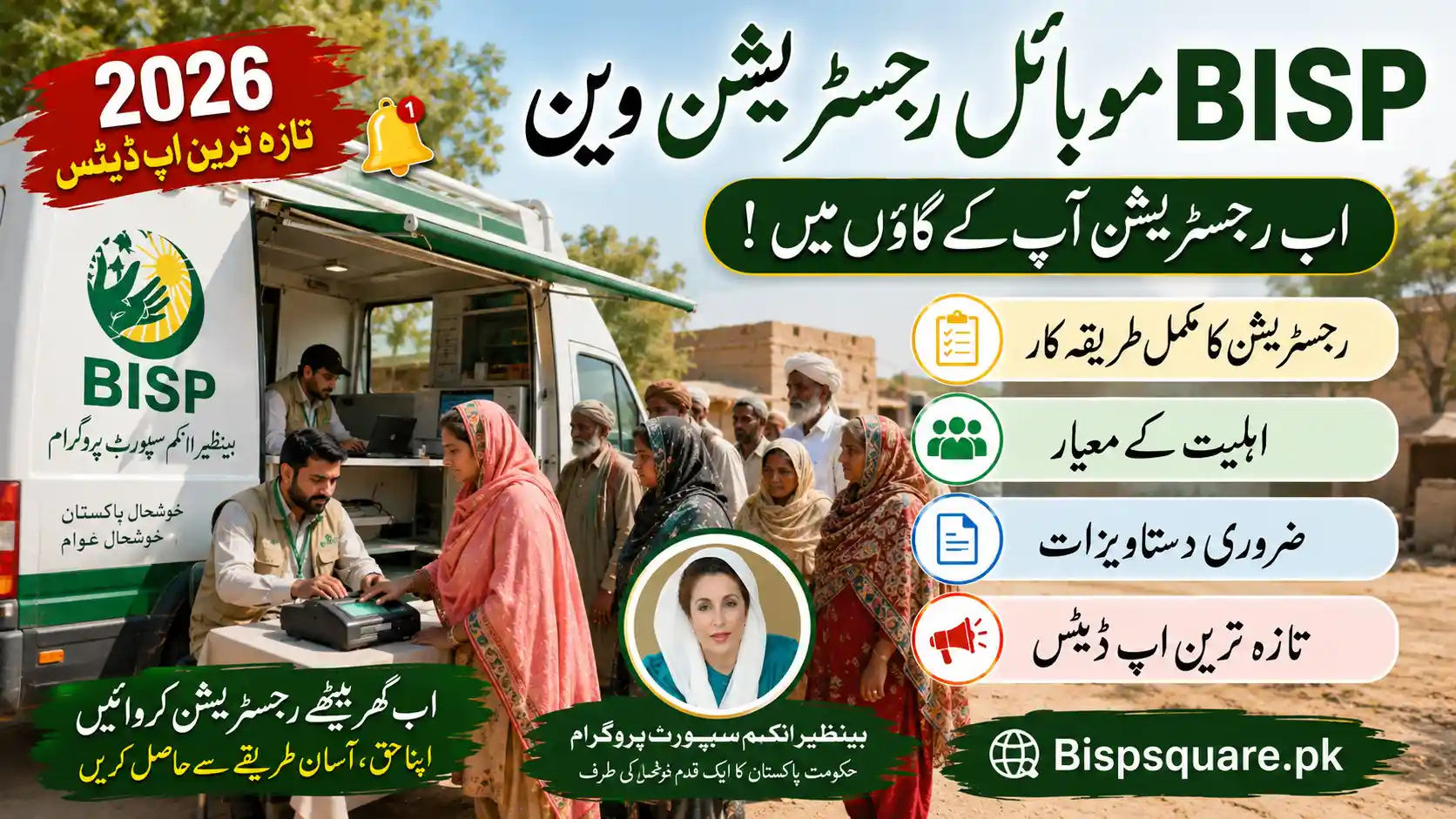
There is no reason to fill out a random online form just because it has the BISP or 8171 name. The provided source states that the Benazir SIM registration process is separate from the online 8171 status-check service. BISP has also been using mobile registration vans and other field arrangements as part of the 2026 rollout. This means the exact registration location can depend on the official arrangements in your area.
Can I Register BISP SIM Wallet Through 8171?
No, the 8171 portal should not be treated as a SIM registration form. The 8171 service is used to check existing BISP information, while the SIM and wallet process requires the applicable official registration and verification steps. The two services are connected to BISP, but they perform different jobs.
This distinction also answers one of the most common searches for BISP SIM wallet registration 8171. You may use 8171 to check your BISP status, but you should follow BISP’s official instructions for the SIM and wallet process instead of trying to create an account through an unofficial 8171 login page.
What Is the BISP Social Protection Wallet?
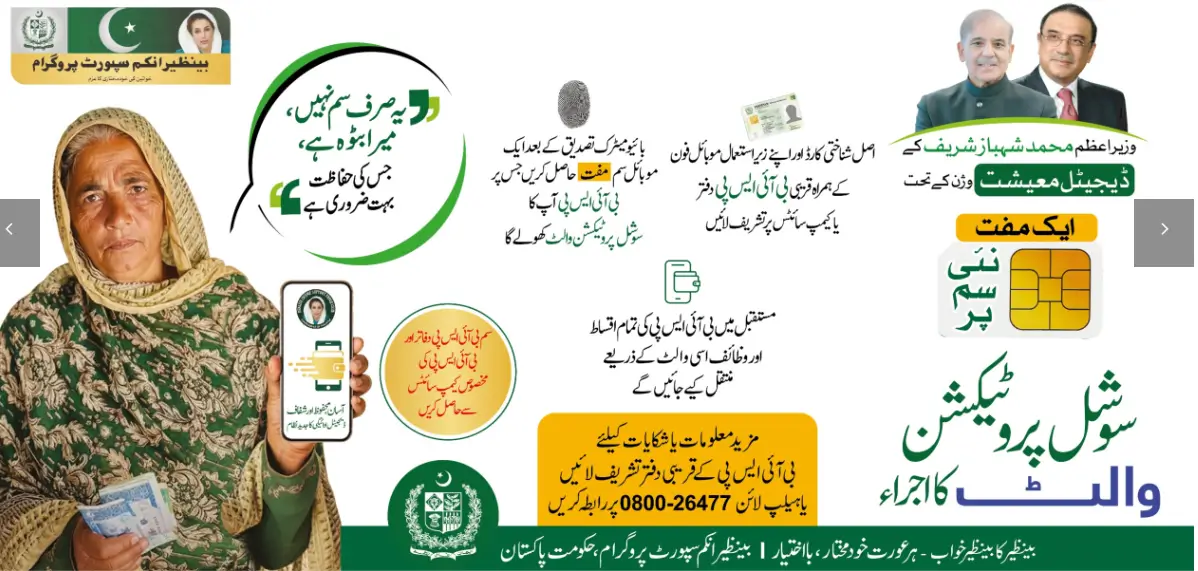
The Social Protection Wallet is a digital payment system being introduced by BISP to improve how beneficiaries receive and access their payments. It works with the beneficiary’s identity and mobile connection rather than relying only on older payment collection methods. BISP has been actively promoting the wallet system and free Benazir SIM distribution during 2026.
The main idea is simple: the beneficiary receives the applicable SIM, completes the required verification, and the mobile wallet is linked through the official process. The exact payment and collection method can depend on the current BISP rollout in the beneficiary’s area. This is why beneficiaries should follow the instructions given by BISP rather than relying on older articles or social media posts.
What Is the Free Benazir SIM?
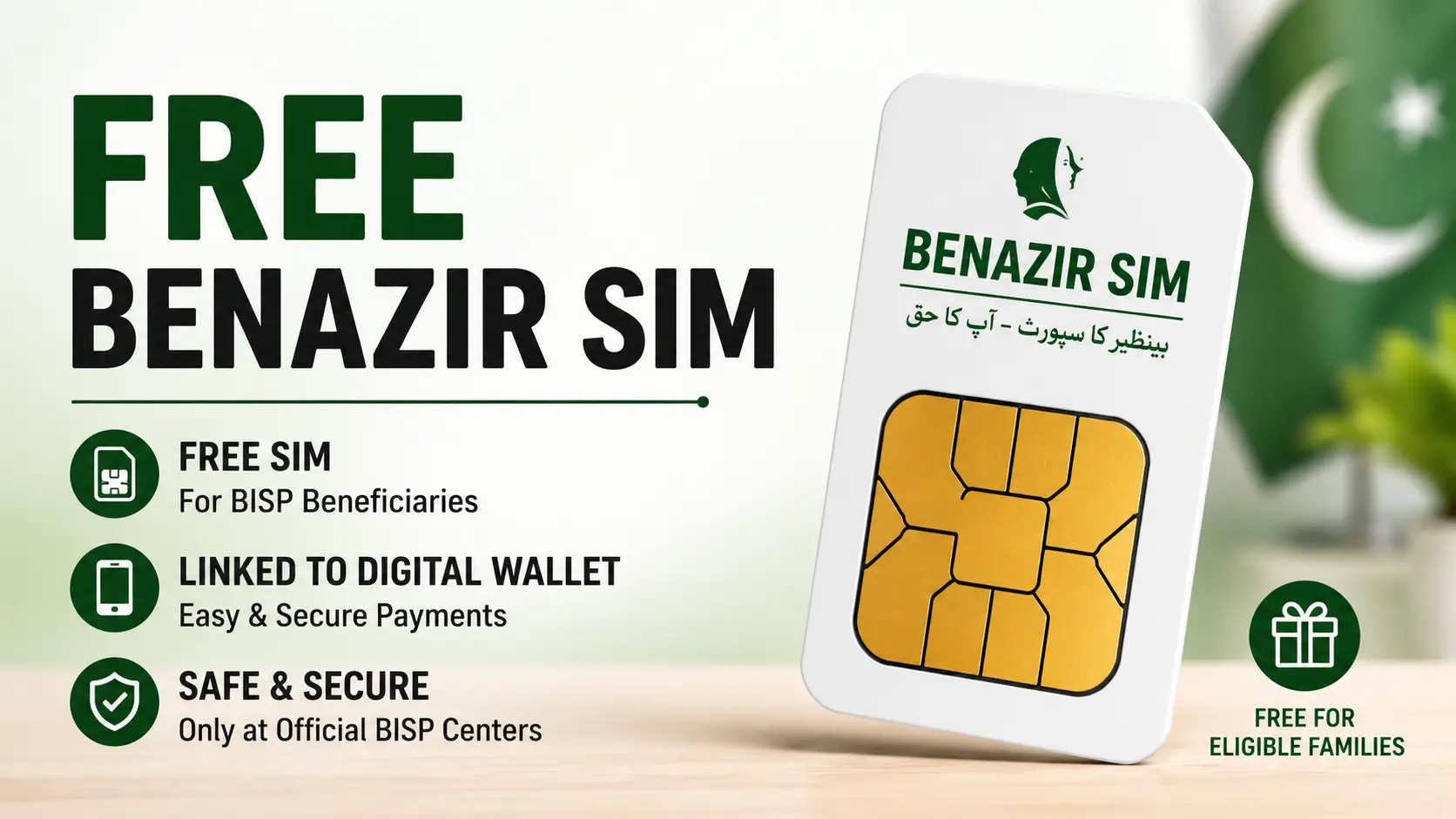
The Benazir SIM is a free mobile SIM being distributed to eligible BISP beneficiaries as part of the Social Protection Wallet system. It helps connect the beneficiary’s mobile identity with the digital payment system. BISP has continued the distribution and awareness campaign in different parts of Pakistan during 2026.
The SIM is not the same as a normal SIM registration offer from a mobile shop. It is part of the BISP process, so beneficiaries should only follow instructions from official BISP staff or designated registration points. The source information also states that beneficiaries should not pay anyone for SIM registration or wallet activation.
Who Needs BISP SIM & Wallet Registration?
The process is mainly for beneficiaries who have not yet received the Benazir SIM or do not have the wallet properly linked with their BISP record. It can also be relevant to households that entered the program after an earlier distribution phase in their area. A completed household survey does not automatically mean that a SIM has already been issued.
If you already received a Benazir SIM and your wallet is working, you normally do not need to start another registration. If you are unsure about your status, use official BISP support channels before visiting a registration point. This can save you an unnecessary trip.
How to Register for the BISP SIM Wallet
The exact registration location can vary because the Benazir SIM and wallet rollout is being carried out in phases. BISP’s 2026 updates show activity through BISP offices and mobile registration vans, so beneficiaries should follow the official arrangement available in their area.
Step 1: Make Sure You Have an Active BISP Record
Before dealing with the SIM, make sure your BISP record is available and your household information is up to date. The 8171 service can be used to check your existing BISP status. If there is a problem with your record, resolve that issue through the official BISP process first.
Step 2: Find the Official Registration Point
Visit the BISP office, designated registration point, or mobile registration arrangement available for your area. Do not choose a private shop simply because someone says it can register your BISP SIM. BISP has been using mobile registration vans in some areas, so the available option may differ by district.
Step 3: Take Your Original CNIC
Carry the original CNIC linked with your BISP record. The provided registration information also recommends taking a personal mobile phone that you control.
Step 4: Complete Verification
BISP staff will follow the applicable identity and biometric verification process. The purpose is to make sure that the SIM and wallet are connected with the correct beneficiary. Do not hand your CNIC to an unrelated person who offers to complete the process for you.
Step 5: Receive the Benazir SIM
If your record qualifies for the current SIM rollout, the SIM is issued through the applicable BISP process. The registration and activation service is free according to the provided information.
Step 6: Complete Wallet Linkage
The wallet is linked through the required verification process. Depending on the current arrangement, the mobile wallet can be connected with the supported mobile payment service. You do not need to pay a person to activate the wallet.
BISP SIM Wallet Registration Requirements
For the registration process described in the provided information, you should have:
| Requirement | Purpose |
|---|---|
| Original CNIC | Identity verification |
| Personal mobile phone | SIM registration and use |
| Active BISP record | Beneficiary verification |
| Biometric verification | Identity confirmation |
The source specifically identifies the original CNIC and personal mobile phone as key items for the registration process.
Keep your documents with you and avoid giving your original CNIC to anyone outside the official registration process. If an office asks for additional information because of a specific record issue, follow the instructions given by BISP staff.
BISP SIM Wallet Registration Online Login – Is There a Login?
Searches for BISP SIM wallet registration online login can be confusing because they make it sound like beneficiaries need a separate username and password. The provided information does not describe a separate online login for registering the Benazir SIM or activating the BISP wallet.
The 8171 portal and a mobile wallet app should not be confused with a BISP SIM registration login. If you see a website asking you to create a BISP wallet password and provide sensitive information, verify it before entering anything. Use official BISP channels for your actual registration and payment information.
BISP SIM Wallet Registration Online 8171
If you already receive BISP payments, you may wonder whether the 8171 portal can also be used to register your Benazir SIM and wallet. The 8171 service is mainly used to check your BISP status, while SIM and wallet registration follows a separate official process. A physical Benazir SIM is not issued through an online 8171 form.
If your BISP status is active but you have not received a Benazir SIM, follow the registration instructions available through BISP in your area. You may need to complete identity and biometric verification before the SIM and wallet can be linked to your record. Do not enter your CNIC, OTP, or wallet details on an unofficial website claiming to offer 8171 SIM registration.
BISP SIM Wallet App – Do You Need One?
No separate app is required to register a BISP SIM or complete the wallet process. The Benazir SIM and Social Protection Wallet are handled through the official BISP process, while a supported mobile wallet service may have its own app for managing the account. You should only use an app when it is connected with the official wallet service linked to your SIM.
Be careful with apps or websites using names such as BISP Wallet App, 8171 Wallet App, or Benazir Wallet Login. Do not download an app from a random link or share your CNIC, OTP, PIN, or other private details with someone who contacts you through WhatsApp or social media. If you are unsure about an app or wallet service, confirm it through the official BISP support channels first.
How Does the BISP Wallet Work With the SIM?
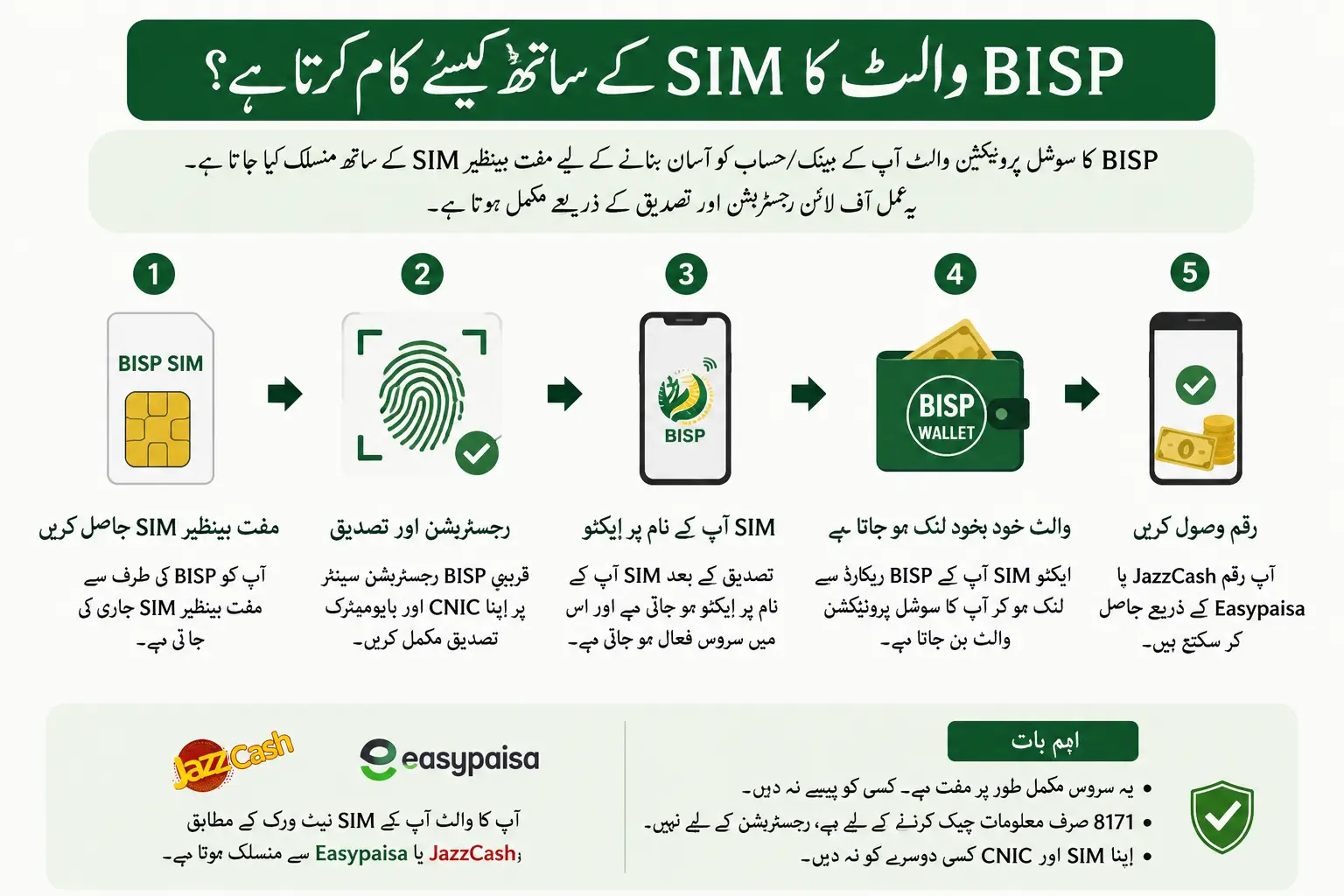
The Benazir SIM and wallet are designed to work together under the BISP digital payment system. The provided information describes Jazz SIMs as being linked with JazzCash and Telenor SIMs with Easypaisa under the applicable arrangements.
The exact service available to a beneficiary can depend on the current rollout and the SIM issued to them. This is why you should not change your registered mobile number without first checking with BISP. A wrong or inactive mobile connection can cause problems with payment messages and wallet access.
BISP Wallet Activation
Wallet activation is part of the official SIM and verification process. The provided information states that biometric verification during SIM registration can activate the linked wallet, so beneficiaries do not need to complete a separate online BISP wallet application.
After activation, keep the registered SIM active and in your control. If the wallet does not appear to be working, first check the SIM and then contact the relevant BISP support channel. Do not pay someone who claims they can activate your wallet faster.
How to Check BISP SIM Status Online by CNIC
You cannot use the 8171 portal as a separate online tracker for your Benazir SIM. The 8171 service can show your BISP status, but it does not mean that you can enter your CNIC and see a separate SIM or wallet record. SIM registration and wallet linkage are handled through the official BISP process.
If you have received a Benazir SIM and want to know whether it is linked with your BISP record, contact BISP or visit the officially designated registration or service point in your area. Take your original CNIC with you so your record can be checked. Avoid websites that claim to offer a BISP SIM check online by CNIC and ask for personal details, OTPs, or payment.
How to Check BISP Wallet Account Status
If you already received the Benazir SIM, you may want to know whether the wallet is active. The provided information suggests checking the applicable mobile wallet service, using its official app where available, or contacting BISP for confirmation.
If your wallet is active, the relevant service may show balance or transaction information. If there is no wallet record, the issue may be related to SIM activity, biometric linkage, or an incomplete registration step. In that situation, contact BISP instead of creating a second wallet yourself.
BISP SIM Not Received – What Should I Do?
If you completed your BISP survey but still have not received the Benazir SIM, do not assume that a SIM will automatically arrive at your home. The provided information says that a completed Dynamic Survey and SIM registration are separate steps.
Check the current BISP arrangement for your district and ask the relevant office or registration team about your SIM status. BISP has also used mobile registration vans as part of the 2026 rollout, so the available registration method may depend on your location.
BISP SIM Showing Not Registered
A “not registered” message does not always mean that you are no longer eligible for BISP. It can mean that the SIM has not yet been linked, the registration is still being processed, or there is a problem with the mobile information attached to the record.
Do not try to solve the problem through an unofficial online form. Take your original CNIC and ask the relevant BISP staff to check the SIM and beneficiary record. If the mobile number on your BISP record is incorrect, report it through the official process.
BISP Wallet Showing Inactive
If your BISP wallet shows as inactive after receiving the SIM, first make sure that the SIM itself is active. The provided information notes that a newly issued SIM should be used for a call or SMS within the applicable network activation period.
If the wallet remains inactive, contact the relevant BISP office or support channel. You may need further verification of the SIM or biometric linkage. Do not pay a private agent to reactivate the wallet.
What If the Wrong SIM or Mobile Number Is Linked?
A wrong mobile number can cause problems because BISP messages and wallet information may not reach the correct beneficiary. The provided information recommends contacting the BISP office to correct the registered mobile information.
Do not simply register another SIM and assume the BISP record will change automatically. The mobile number linked with your beneficiary record should be corrected through the proper BISP process. Keep the new number active and under your own control.
What If BISP Biometric Verification Fails?
Biometric verification is an important part of the identity process, but fingerprints may not always be read correctly. This can happen more often with elderly beneficiaries or people whose fingerprints are difficult for the scanner to read. The provided information says that BISP staff can use the applicable biometric procedure when normal verification fails.
If your fingerprint does not match, ask the official staff to check the problem again. Do not pay someone who promises to bypass the biometric system. Your eligibility and payment record should be handled through official BISP procedures.
What If the BISP SIM Is Lost or Damaged?
If your registered Benazir SIM is lost, stolen, or damaged, report the issue instead of continuing to use an unrelated number. The provided information says beneficiaries can request a replacement through the applicable BISP process after identity verification.
Take your original CNIC when visiting the relevant BISP office or service point. Report a lost SIM quickly so that your mobile and wallet access can be protected. Do not give your CNIC to a private person who offers to replace the SIM for you.
BISP SIM Wallet Registration Number
For help with BISP SIM and wallet registration, you can contact the official BISP helpline at 0800-26477. The number 8171 is used for official BISP messages and status-related communication, so it should not be treated as the BISP helpline. Keeping these two numbers separate can help you avoid confusion when checking your BISP information.
If you have a problem with your Benazir SIM, wallet activation, registration, or BISP record, use the official helpline for guidance. Avoid phone numbers shared on random websites, Facebook pages, or WhatsApp messages, especially if someone asks for money or personal information. Never share your OTP, wallet PIN, or other sensitive details with an unknown caller.
Also Read > 8171 PMT Score Check Online
Is BISP SIM Wallet Registration Free?
Yes. The provided information states that SIM registration and wallet activation are free. BISP also warns beneficiaries that there is no fee for BISP registration or survey services.
If someone asks you for money to register your Benazir SIM, activate your wallet, update your CNIC, or release a payment, be careful. Report the demand through the official BISP helpline or office. Never pay an unofficial agent simply because they claim to have a connection inside BISP.
BISP SIM & Wallet Scams to Avoid
Scams around government payments often target people who are waiting for financial assistance. Fake websites may copy the words “BISP,” “8171,” or “Benazir Wallet” to make users trust them. Some may ask for a CNIC number, mobile number, OTP, bank PIN, or registration fee.
BISP has clearly stated that 8171 is the official BISP number and that messages from other numbers should be treated as fraudulent. It also provides the helpline 0800-26477 for complaints and assistance.
Never Share These Details With an Unknown Person
- CNIC information on an unknown website
- OTP codes
- Bank PIN
- Wallet PIN
- Passwords
- Payment verification codes
- Money for “registration”
- Money for “wallet activation”
A genuine BISP process should not require you to pay an unofficial person for basic registration or verification.
BISP SIM Wallet Registration in Pakistan – Important Points
The Social Protection Wallet rollout is taking place across Pakistan, but the exact registration arrangements can vary by area. BISP’s 2026 updates show the use of BISP offices, awareness activities, and mobile registration vans for the digital wallet and Benazir SIM process.
For this reason, avoid relying on an old June deadline or an article written for another district. If you have not received your SIM, check the current official arrangement available in your area. This is especially important because BISP has continued expanding the system during 2026.
Frequently Asked Questions
What should I take when visiting a BISP SIM registration point?
Take your original CNIC and the mobile phone you use. Keep the original documents with you so the staff can complete the required verification without relying on a third person.
Can I choose any mobile network for the Benazir SIM?
The SIM and wallet arrangement can depend on the current BISP rollout and the service available for the beneficiary. Follow the network and SIM instructions given at the official registration point instead of purchasing a separate SIM for the wallet.
Can someone else collect my Benazir SIM for me?
The SIM is linked to the beneficiary’s identity, so another person should not collect or register it without following the official BISP procedure. If you cannot visit the registration point yourself, contact BISP first and ask about the applicable process.
What happens after I receive the Benazir SIM?
The SIM goes through the required activation and verification process before the related wallet can be used. Keep the SIM active and in your possession after receiving it.
Can I change the mobile number linked to my BISP wallet?
If the registered mobile number is incorrect or you need to change it, contact BISP through the official process. Do not create another wallet or give your CNIC to a private agent to make the change.
What should I do if I receive a BISP message from a number other than 8171?
Treat unexpected messages from other numbers with caution. Do not click unknown links or share your CNIC, OTP, PIN, or payment details before checking the message through an official BISP channel.
Does a completed BISP survey mean my wallet is already active?
No. Completing a household survey and activating the SIM-linked wallet are separate steps. If you have completed your survey but your wallet is not active, ask BISP to check your current registration status.
Can I use my Benazir SIM in another phone?
The SIM itself can be used in a compatible phone, but you should keep control of the registered SIM because it is connected with your BISP-related services. Avoid handing it to another person or using an unknown person’s phone for wallet transactions.
What should I do if my Benazir SIM stops working?
First check whether the SIM has network service and whether it is properly inserted in the phone. If the problem continues, contact the relevant mobile operator or BISP support, depending on whether the issue is with the SIM or its BISP linkage.
Can I sell or transfer my Benazir SIM?
No. You should not sell, lend, or transfer a SIM that is registered for your BISP-related services. Keep it under your own control and report a lost or damaged SIM through the official process.
Final Words
The BISP Social Protection Wallet is being introduced to make payment services easier for eligible beneficiaries. If you are waiting for a Benazir SIM, follow the current BISP process in your area and keep your original CNIC with you. The SIM and wallet should be registered through official BISP arrangements, without paying an agent or sharing your personal details with an unknown person.
If you already have the SIM, keep it active and under your own control. For problems with registration, wallet activation, biometric verification, or a missing SIM, contact BISP at 0800-26477 for guidance. Always check the latest instructions through official BISP channels because the rollout process can vary by area.

Pingback: Sindh Laptop Scheme 2026: Free Laptop, Eligibility & Apply
Pingback: CM Punjab Car Scheme 2026: Eligibility & Online Apply